
Manage API tokens in the console
Create a token with the access its integration needs, then revoke it when that integration should stop making requests.
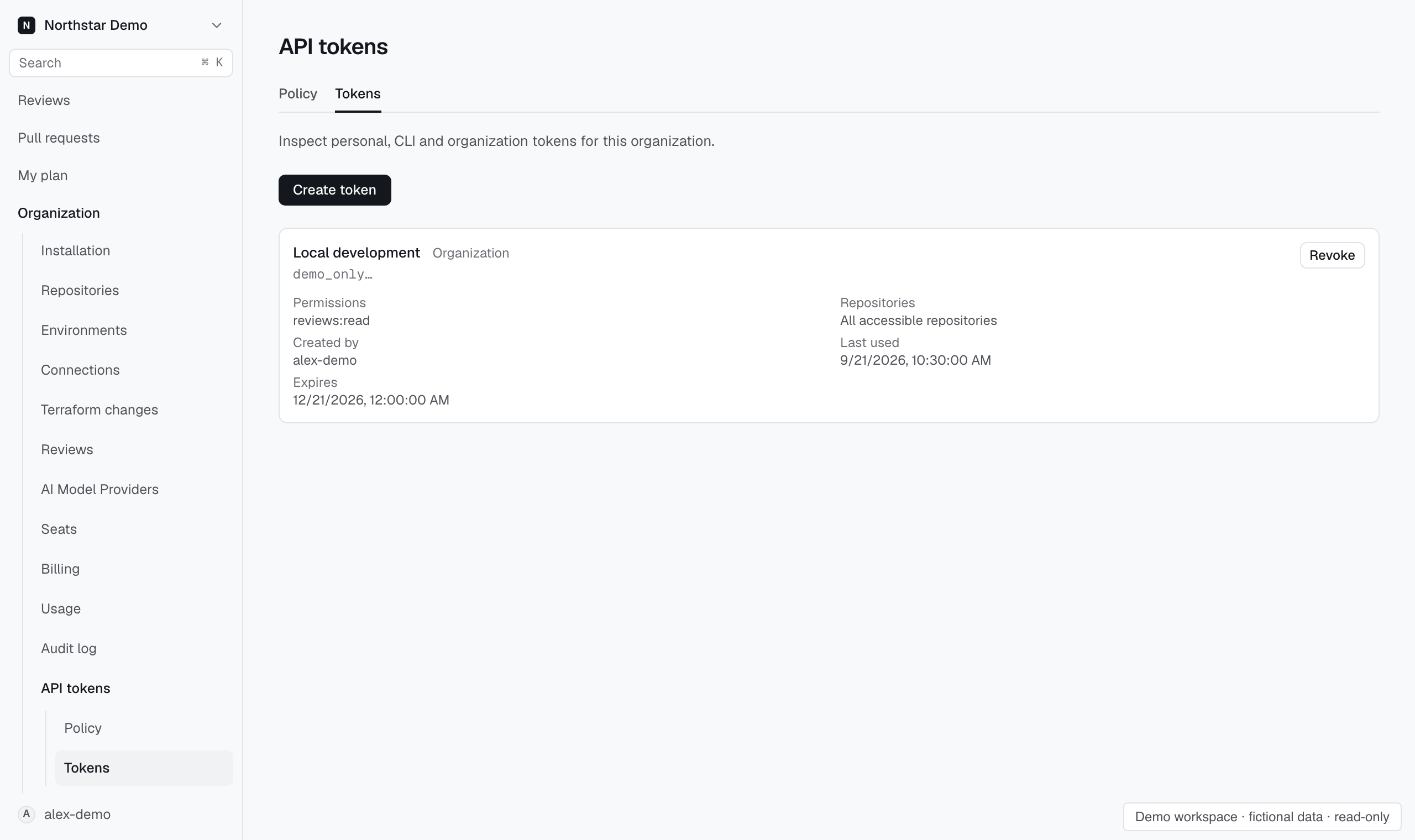
Create a token#
- Open Organization → API tokens → Tokens, or Personal tokens from your account menu.
- Select Create token.
- Give the token a recognizable name.
- Choose its permissions and repository restrictions.
- Choose an expiry and create the token.
- Copy the token when it is shown and store it securely.
Check the selected scope before creation. A token does not provide access beyond the authority under which it was created.
Revoke a token#
Find the token and use its revoke action. Read the confirmation and confirm the token you intend to revoke.
Revocation stops new requests from using that token. Update the consuming integration if it needs a replacement.
Set the organization policy#
Organization owners can open Organization → API tokens → Policy to set the maximum lifetime, allowed permissions, and client networks.
Review the form's constraints, then select Save policy. Network restrictions require a verified client address from the installation's edge.
Use a token programmatically#
See the developer documentation for authentication, API calls, SDKs, and command-line examples.
Keep tokens out of screenshots, support messages, and repository files. Share the token's name and error details when asking for help.