
Read a review
Read Proofline’s review of how your code changes would affect each environment. Assess the evidence before deciding whether to change the code.
Check the change#
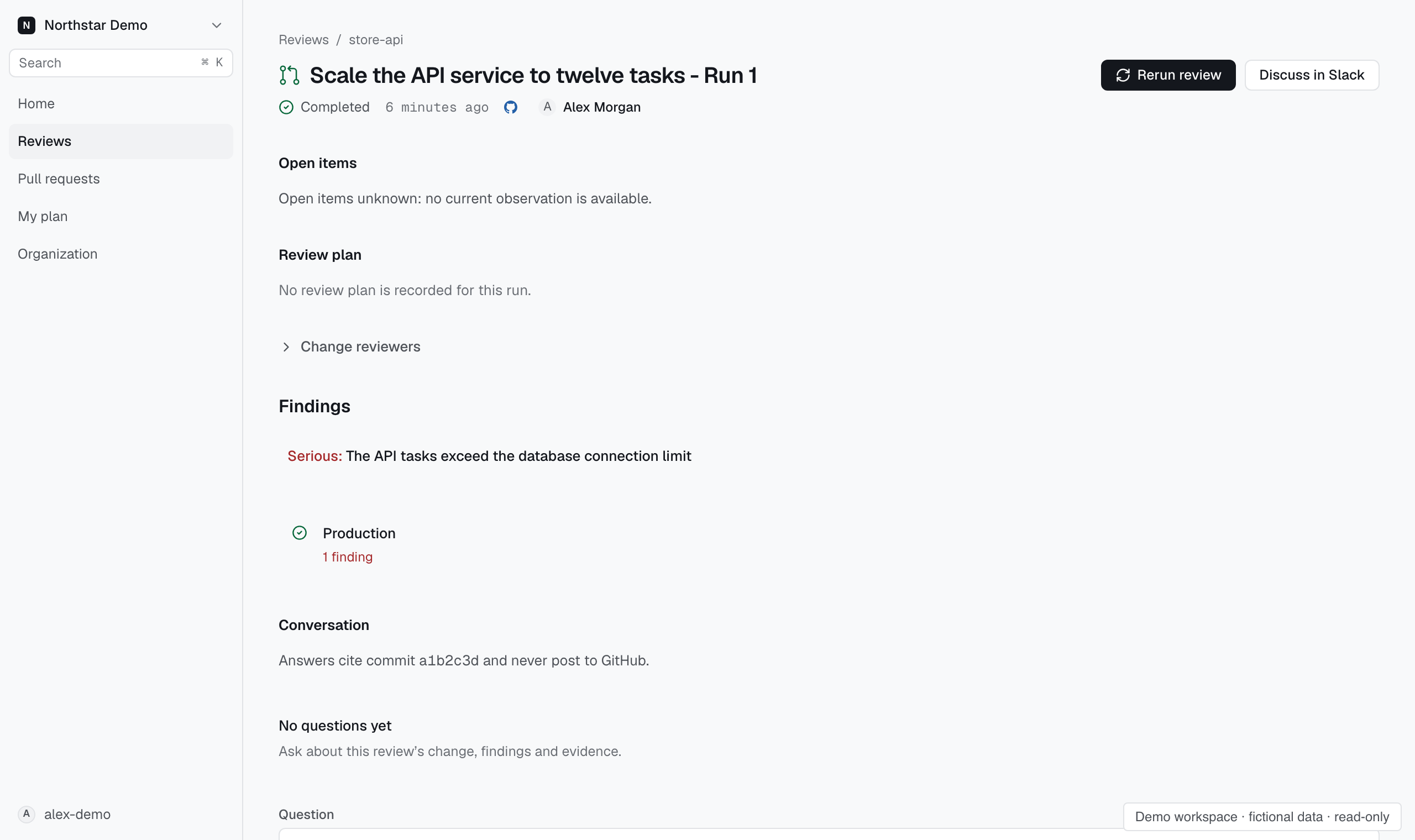
Open the review from Reviews or its pull request. Confirm the repository, commit, and environment match the change you are investigating.
If the review is queued or still running, wait for it to finish before reading the results.
Open Run details for the Change section. It shows the reviewed base and head commits, with line counts when recorded. Select the commit range, such as 1a2b3c4d5e..6f7a8b9c0d, to open the comparison for those exact commits on GitHub.
For a pull request, View changes opens files and findings together in Proofline. See Inspect reviewed changes.
A selected-file review shows its pinned Commit and an expandable list of selected files. Its result covers that selection.
Read code-only findings#
Code-only findings has its own completion status and findings. These findings concern the pinned code. A completed code review does not complete an environment assessment or replace missing infrastructure evidence.
Read the assessment#
Each environment has its own context. A result for one environment does not establish the result for another.
An incomplete assessment means Proofline could not finish with the required evidence. Inspect the reported reason and the environment's evidence coverage. When the review stopped at its configured budget, select Run deep review under that reason to review the pull request again with the deep review budget.
Checks names each check and, when the check decided, says what it found in this environment. File or Files lists the repository files the check cited; at the base commit marks a file read at the merge base. Select Details to read the rule the check applied. Not checked means the environment has no source for the evidence the check reads; it is not a pass. On the run page, a count such as 1 check violated opens that check.
No supported findings is not a guarantee that the deployment is safe. Missing, stale, or unavailable evidence remains a limitation of the assessment.
When recorded, Declared reach lists infrastructure with a declared dependency on what the change deploys. Expand the entity list to inspect the dependency paths. These are recorded dependencies, not predictions of impact. Read any coverage gaps alongside them.
Read test coverage#
When the review captured a coverage check, Coverage shows its requirement and result. A met or not-met result also shows its covered and changed executable-line counts; read them together with the Tested commit. A report for a merge commit can name a different commit from the Reviewed head.
Expand Uncovered ranges to see file paths and line ranges. Unmapped files explains which files could not be matched to the report. An Inconclusive result shows its specific reason; missing coverage is not a passing check. A waiting check has no result yet, and Earlier head identifies a superseded check.
See Configure pull request checks to set the report source and thresholds.
Follow a finding#
Open a finding to read what can fail, why the change causes it, and which evidence supports the explanation. Compare the suggested correction with your intended behavior.
An earlier finding can remain open when this run has no new findings. Select its still open link on the review or under Open items in Run details to read the original finding. The link identifies the earlier run; it does not verify a fix.
Use Read and act on a finding for the next steps. If the code or environment changes, run a new review rather than treating the old result as current.
Read research and publish a candidate#
To start research, comment on the pull request: mention Proofline, then write research and the question to investigate. Research reads the pull request's pinned code and recorded environment evidence. It does not run code experiments.
Open the pull request's Research section to see what a run examined, what it found, and what remains unknown. Check the recorded commit before using the result. A research candidate does not change the deployment verdict. Select Stop research to stop a pending or running run; this requires repository write access.
An administrator sets Credits per research run and Minutes per research run under Limits in Settings → Review policy → Models.
To publish a candidate as a GitHub review comment:
- Select Publish candidate… beside the candidate.
- Read the confirmation.
- Select Publish to GitHub.
Publication requires current repository write access and an open pull request whose head still matches the researched commit. The request records your approval. Publication requested confirms that Proofline accepted the request; it does not confirm that GitHub has received the comment.
Request a person or team#
Use Reviewers on the pull request or review page to choose a person or team. Select Request review or Remove request for each selected entry, then Save reviewers.
Check the recorded action outcome. If GitHub refuses the change, resolve the reported access or pull request condition before retrying. Requesting a reviewer does not rerun Proofline.
For a longer automated investigation, see Run a deep review.
To ask about a completed pull request review, open Discussion. See Ask questions about a review.