
Set up a merge gate
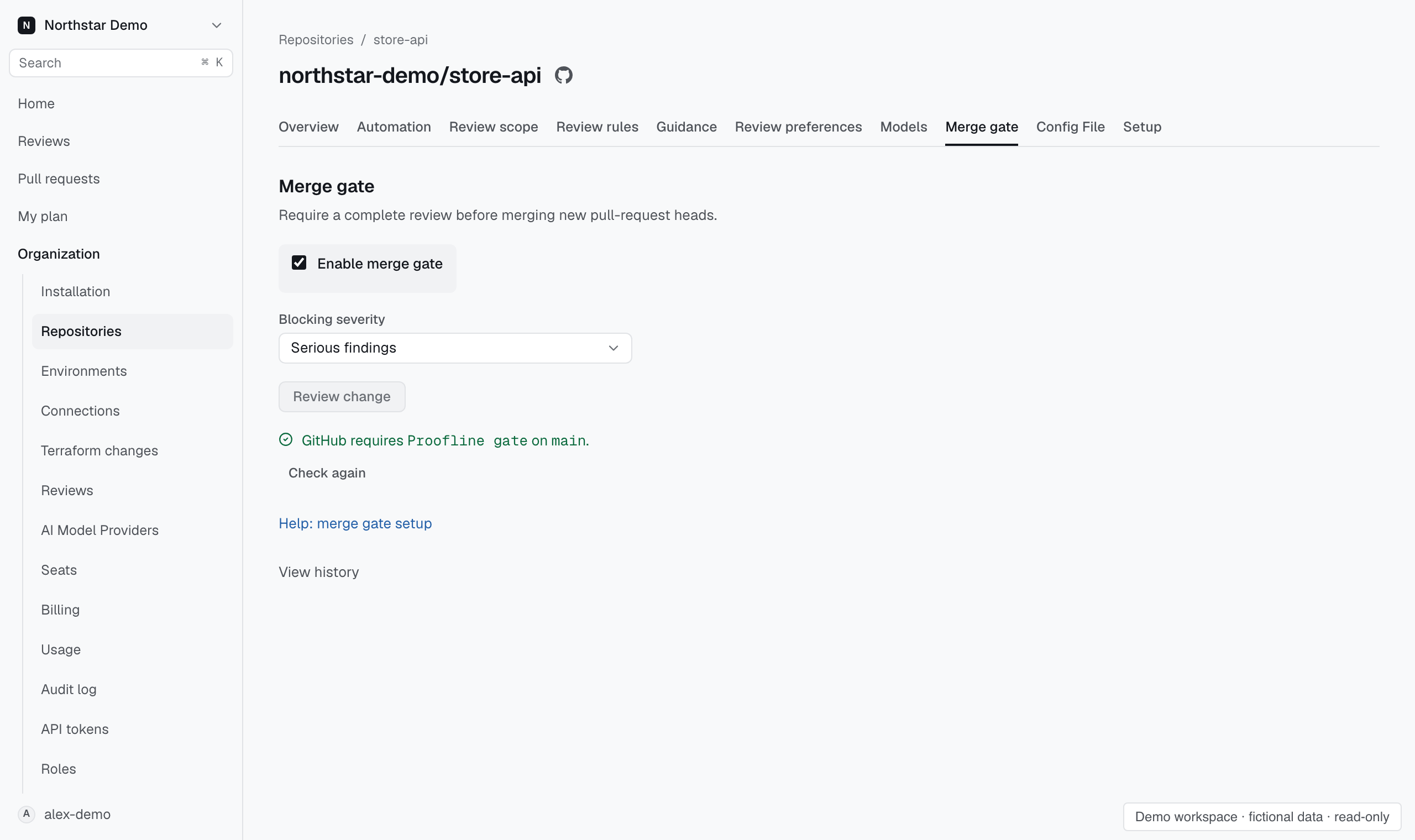
Require a complete Proofline review before merging a pull request. Choose whether serious findings, or warnings and serious findings, block the gate.
Before you start#
Link at least one environment to the repository through Setup. Use an account that can change the repository's merge policy and GitHub rules.
Enable the gate#
- Open Organization → Repositories.
- Open the repository and select Merge gate.
- Select Enable merge gate.
- Choose the Blocking severity.
- Select Review change.
- Check the policy and select Confirm policy.
- Select Open GitHub repository rules.
- Add Proofline gate as a required status check in the applicable branch protection rule or ruleset.
GitHub blocks merges only when its rules require Proofline gate. The separate Proofline advisory check stays neutral.
Understand a blocked gate#
The gate blocks a head when an assessment is incomplete, production evidence is missing, or a required deterministic check blocks it. An open supported finding also blocks the gate when it meets the chosen severity.
Open the pull request's review to inspect the assessments and findings. Resolve the blocking condition and request a review of the current head.
Check policy history#
Select View history to inspect recorded heads and gate decisions. Each head keeps the policy captured for its review trigger. Policy changes apply to new heads.
Disabling the gate leaves existing heads' policies and decisions intact. History also records a GitHub merge that bypasses a blocked gate.