
Find your way around Proofline
Select an organization first. Its repositories, environments, reviews, and settings share that organization’s scope.
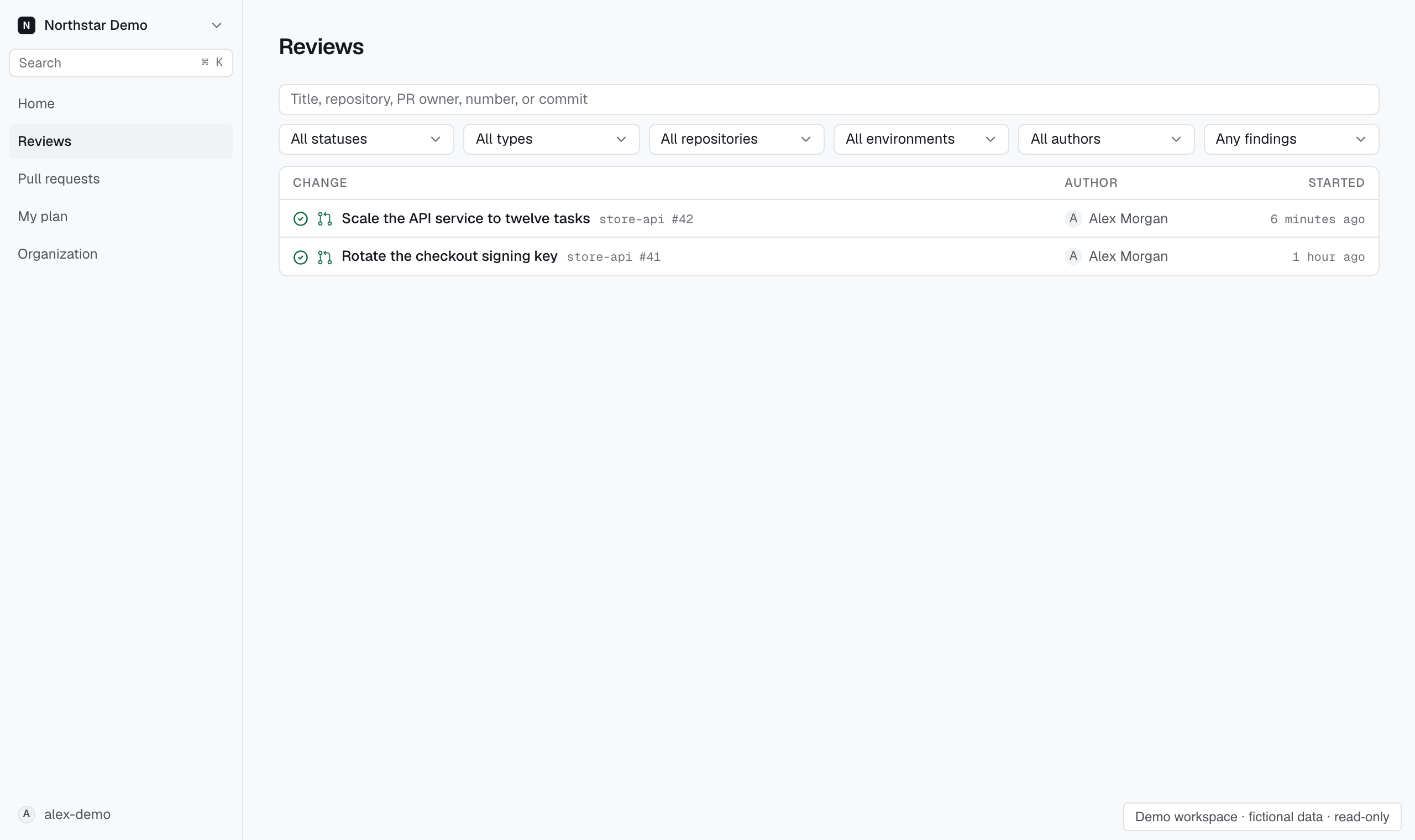
Choose a workspace#
Sign in with GitHub and use the organization selector to open the organization you want to work in. Switching organizations changes the records and settings you see.
If an organization is missing, check that you signed in with the correct GitHub account and have access to its Proofline installation.
Find a task#
- Home brings you to the organization overview.
- Reviews lists reviews across repositories and environments.
- Pull requests helps you find a change by repository, author, number, or title.
- My plan shows your own plan and the credits you have used in this organization.
- Organization contains repositories, environments, connections, and organization controls.
Open an environment to inspect its reviews, decisions, records, patterns, skills, evidence, or setup. Open a repository to adjust its environment links and review settings.
When a control is unavailable#
Proofline shows settings according to your access. A disabled control can mean that your role cannot change that setting.
Ask an administrator for the access needed for your task. See Manage roles and grants.
Help or developer documentation?#
Use this help center for tasks in the console. Use developer documentation for the API, SDKs, and command-line workflows.