
Assign seats and plans
Assign seats to developers whose changes should receive automatic reviews, and choose each person's plan.
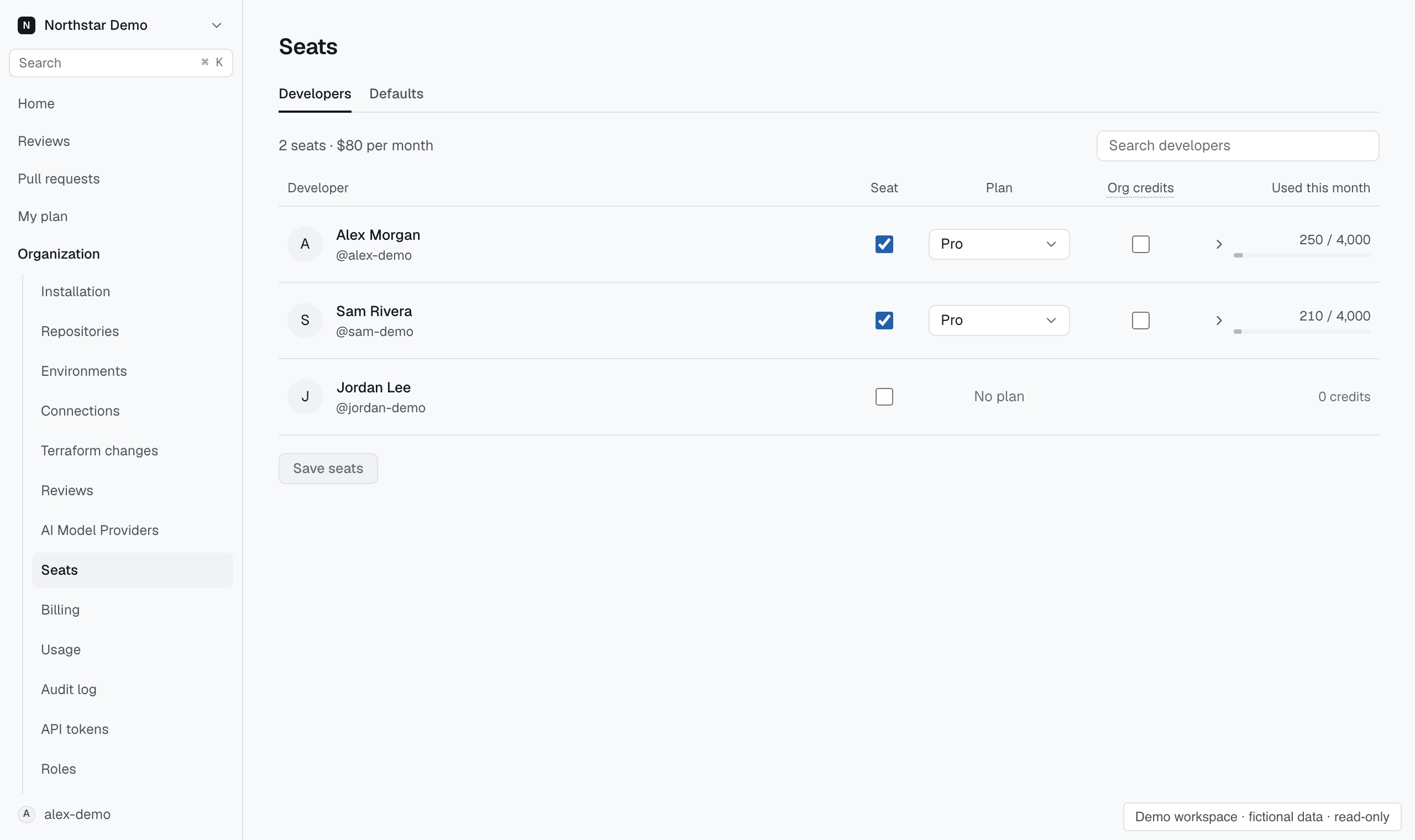
Find the developer#
Open Organization → Seats and search the developer list. Developers appear after their pull requests reach Proofline.
If someone is missing, confirm that the GitHub app can access their repository and that their pull request appears in Proofline.
Assign a seat and a plan#
These steps apply once the organization has a subscription. See Manage credits and billing to subscribe.
- On Developers, find the developer.
- Select their Seat checkbox. A new seat starts on the organization's default plan.
- Choose their Plan.
- Read the summary above Save seats. It shows the new monthly total, what is charged now and what changes at renewal.
- Select Save seats.
A new seat and an upgrade are charged now for the rest of the month, and the person gets credits for the rest of the month at once, in the same proportion. Full monthly credits start at the next renewal. A downgrade applies at renewal; until then the row shows the plan still in force. A removed seat loses access when you save, and its charge stops at renewal.
Used this month shows plan usage against the saved allowance. Hover, focus or select the usage to inspect its funding sources. Own-key usage shows its credit-equivalent cost and spends no Proofline credits. Unsaved seat edits do not change recorded usage. Unused plan credits do not carry over.
Decide what happens when a plan runs out#
When a person uses up their plan's credits, new reviews of their pull requests stop until the plan resets on the 1st. Select Org credits for a seat to let their reviews continue on the organization's balance instead.
A review that is already running finishes either way.
Set defaults and change every seat#
Open Defaults.
Under New seats, choose the plan a newly assigned seat gets, whether it may use organization credits, and whether pull request authors get a seat automatically. Seats that already exist keep their plan and settings.
Under Change plans for all seats, choose one plan or one organization-credits answer for every assigned seat. Read the summary, then select Save.
Without a subscription#
Without a subscription, seats have no plan. Assign the seat, set the person's monthly credit limit as needed, and save. Reviews use organization credits or your own provider keys. Used this month shows an assigned seat's credits used against its saved monthly credits, with own-key equivalents separate. Open the usage breakdown to inspect multiple funding sources, including plan usage recorded before a subscription ended.
Separate review eligibility from access#
Seat assignment controls review eligibility. Roles and GitHub repository access determine what a person can view or change. Changing seats and plans needs the seat permission.
If a pull request was not reviewed, inspect its recorded reason before changing the seat. See Find out why a pull request was not reviewed.