
Configure review automation
Set the organization's review behavior, then adjust repository settings where a repository needs different behavior.
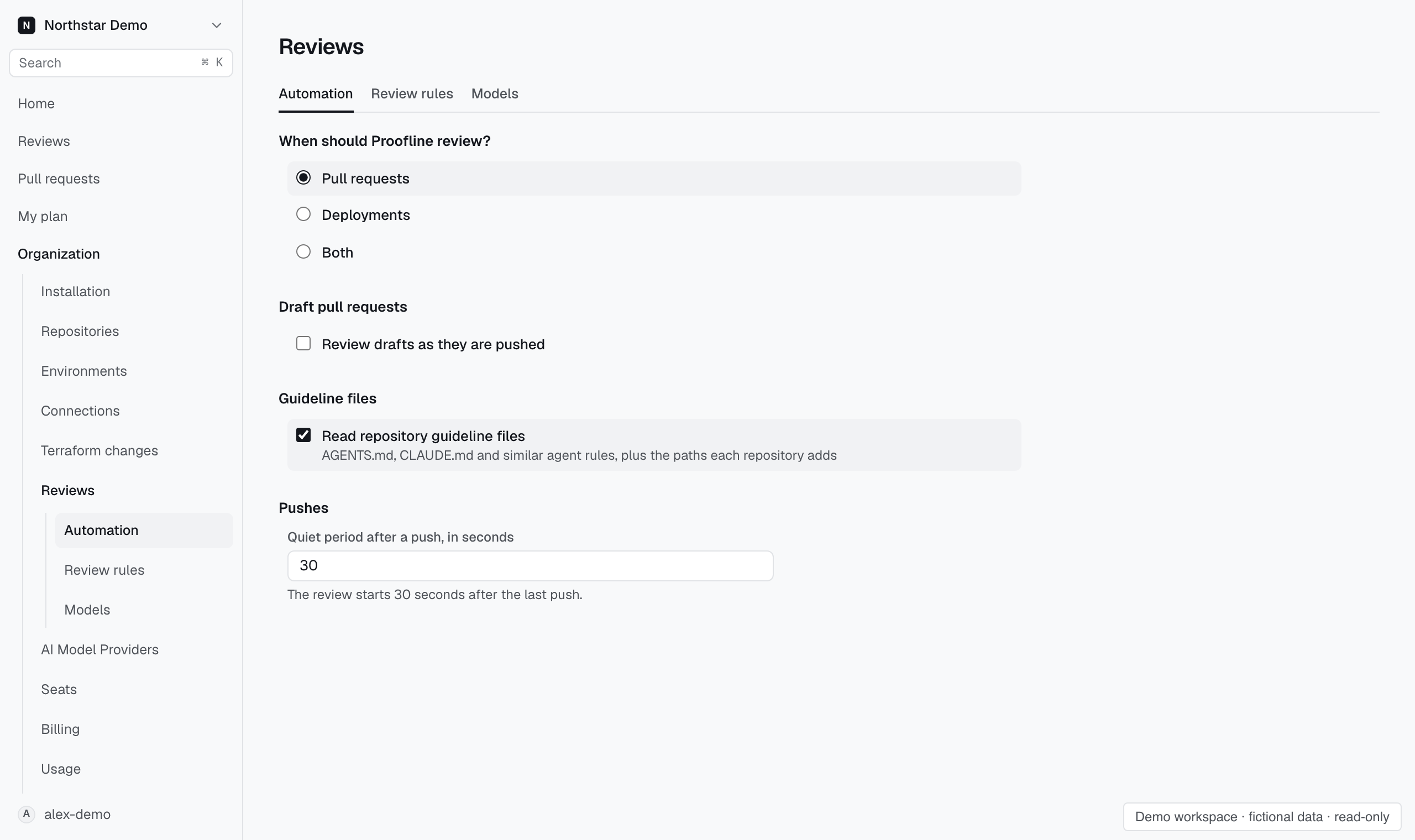
Change organization settings#
- Open Organization → Reviews → Automation.
- Choose when Proofline should review.
- Decide whether to review draft pull requests.
- Set the quiet period after pushes if needed, and save your changes.
The quiet period lets closely spaced pushes settle before a review starts.
Read repository guidelines#
In Organization → Reviews → Automation, select Read repository guideline files to include agent rules in automatic pull request reviews.
To include other files:
- Open Organization → Repositories and select the repository.
- Open Guidance.
- Enter repository-relative file paths in Additional paths, one per line.
- Select Save review settings.
For example, add docs/review.md. Proofline reads guideline files at the merge base. A pull request's guideline edits apply after merge.
Clearing the organization setting stops guideline reads, including additional paths. Additional review guidance remains a separate setting on Rules.
Change repository settings#
Open Organization → Repositories, select a repository, then open Automation. Choose whether to review, when to review drafts, and which environments to review. Select Save review settings after changing a value.
Use Review scope to filter pull requests, authors, bots, and files. These groups remain visible while you edit.
The Review preferences tab contains proposals from GitHub replies. Approve a proposal there to apply it to later reviews.
Require a completed review before merging#
Open the repository's Merge gate page. Link an environment before enabling the gate, choose the blocking severity, and confirm the policy.
Add Proofline gate as a required check in GitHub's branch protection or ruleset. Enabling the policy does not change GitHub's rules.
An incomplete assessment, missing production evidence, or a blocked required check blocks the gate. Open supported findings at the selected severity also block it.
The policy applies to new pull request heads. Existing heads keep their recorded policy. Use View history to inspect recorded decisions.
Choose review coverage#
Use Recommend coverage when configuring review focus, or Recommend from focus when editing it. Review the recommended domain choices before saving.
You can edit domain choices while the recommendation runs. If you do, the result preserves your edits until you select Apply recommendation.
Resolve a save conflict#
If another session changes the settings, Proofline keeps your draft and asks you to reload the current settings. Review the current values before saving again.
Deployment protection also needs an environment and a supported delivery setup. See Configure deployment protection.