
Use finishing recipes
Finishing recipes ask Proofline to propose focused changes to an open pull request. Use them to add tests or doc comments, simplify code, or follow your team's instructions.
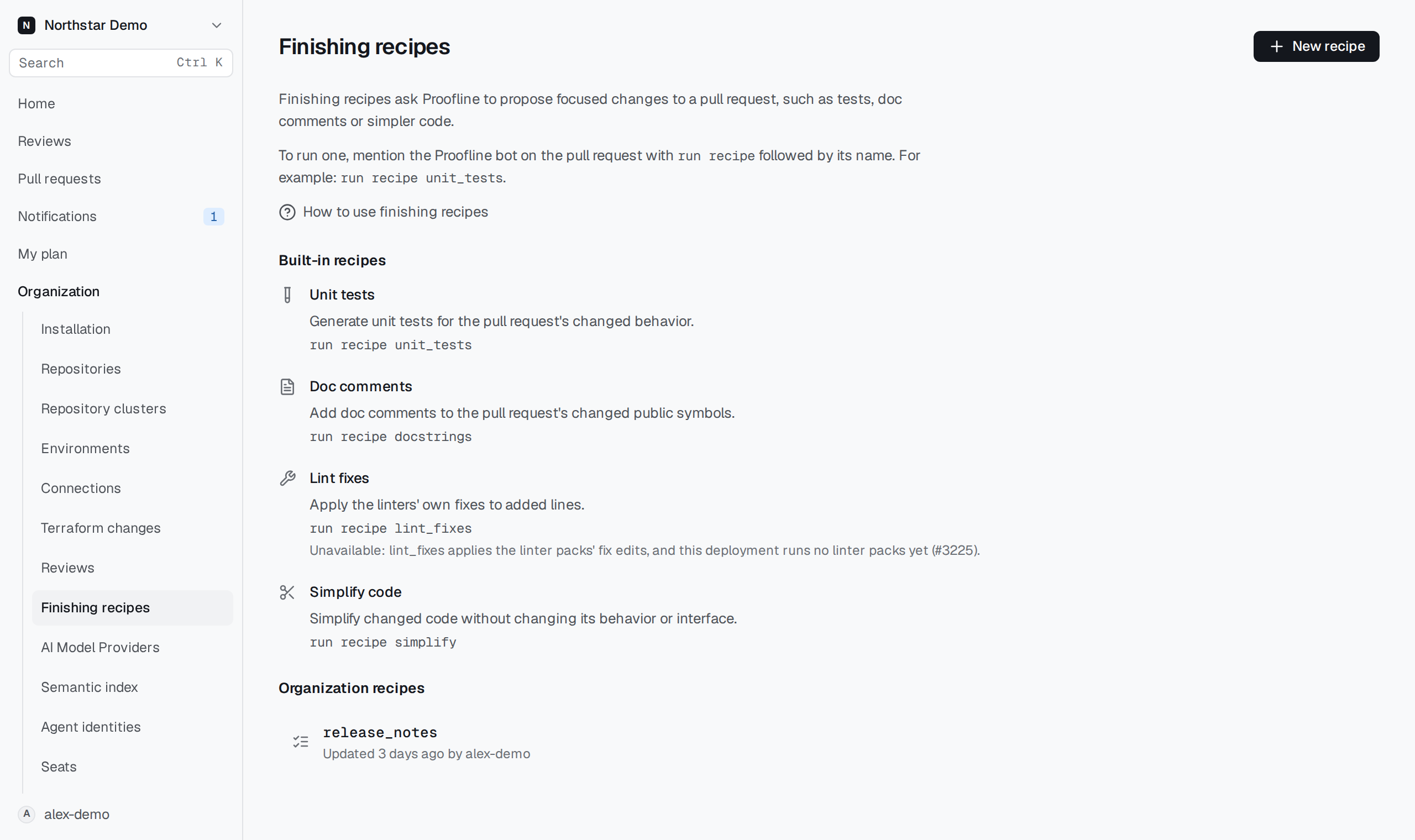
Run a recipe#
You need a Proofline account and write access to the repository. Fix generation must be enabled for the organization. Proofline must have reviewed the pull request's current commit before a recipe can run.
- Open Organization → Finishing recipes to choose a recipe.
- Open the pull request on GitHub.
- Mention the Proofline bot in a comment and add
run recipefollowed by the recipe name, for examplerun recipe unit_tests. - Follow the link in Proofline's reply to inspect the proposal and its validation results.
A recipe creates a proposal. Running it does not apply the change or merge the pull request. Review the proposed change before requesting that it be applied.
To list the recipes in GitHub, mention Proofline with list recipes.
Choose a built-in recipe#
| Recipe name | What it does |
|---|---|
unit_tests | Adds tests for the pull request's changed behavior. Changes are limited to test files. |
docstrings | Adds doc comments to changed public symbols. Changes are limited to comments. |
simplify | Simplifies changed code while preserving its behavior and interface. |
lint_fixes | Applies the linters' own fixes to added lines. It is unavailable when the deployment has no linter packs. |
The settings page shows unavailable recipes with the reason they cannot run.
Create an organization recipe#
An organization administrator can create a recipe for a repeated task.
- Open Organization → Finishing recipes and select New recipe.
- Enter a Name to use in pull request comments. The name cannot change after creation.
- Enter Instructions that describe the change you want.
- Enter Allowed files, with one file pattern per line. Proofline refuses changes outside those patterns.
- To restrict changed paths, open Limit to specific changed paths and enter one file pattern per line. Recipes use all changed paths by default.
- To restrict languages, open Limit to specific languages and select the languages. Recipes use all languages by default.
- Select any Required checks: Build, Tests, or Analyzers.
- Select Create recipe to open the saved recipe.
For example, an organization recipe can update release notes while limiting changes to docs/release-notes/*.md. Its instructions cannot add tools, credentials, network access, or access to other repositories.
Run it by mentioning Proofline on a pull request with run recipe followed by your recipe's name.
Revise a recipe#
Open an organization recipe and select Revise. Edit its instructions, scope or required checks, then select Save revision. New runs use the newest revision. Earlier revisions remain available under Revisions.
When a recipe cannot run#
If the current commit has no review, rerun the review before requesting the recipe again. If fix generation is off, ask an organization administrator to enable it. A deployment without a sandbox cannot generate proposals.
A proposal can fail validation, be refused, or become stale when the pull request changes. Read its reported reason before retrying. A failed or stale proposal is not a validated change.