
Inspect reviewed changes
Open View changes beside a pull request review's Findings heading to inspect its files and findings together.
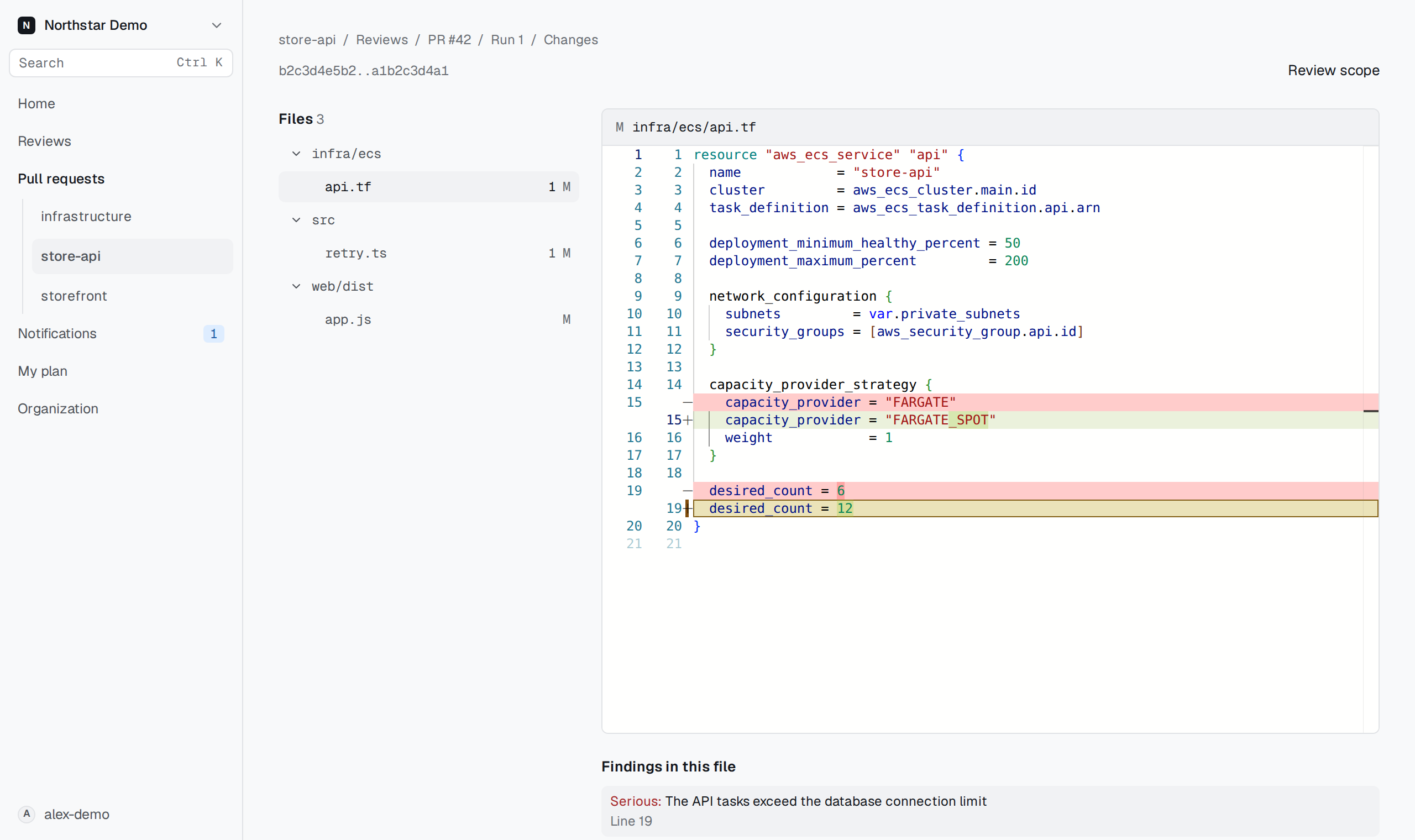
Check the comparison#
The Changes page names the review's exact Base and Head commits. It shows that recorded comparison even when the pull request has newer commits.
Choose a file from Files to read its diff. The file's status identifies additions, removals, or renames. A path marked Not reviewed was excluded by a path filter or identified as generated.
Binary files and files above the displayed size limit do not show their contents. A partial file list means GitHub supplied only part of the comparison. Neither condition establishes that the missing code was reviewed.
Inspect findings beside the code#
Select a finding to read it in the Finding inspector. Findings in this file lists findings anchored to the selected file. Not anchored to a changed file holds findings whose recorded location does not match a changed file.
The inspector identifies the environment or labels a code-only finding. Keep that scope in view when evaluating the explanation.
Use j and k for the next and previous file. Use n and p for the next and previous finding.
Read the change summary#
Return to the review and open Run details for its Change summary and any recorded change diagram. The diagram describes the reviewed change; it does not establish infrastructure behavior without supporting evidence.
If the page reports No pinned comparison, return to the review's recorded findings. Check the commit before using a newer comparison on GitHub.