
Configure pull request checks
Add a pre-merge check to a repository to check each reviewed pull request’s title or changed-line test coverage. Proofline reports each check as its own GitHub Check, named Proofline check / followed by the check's name.
Before you start#
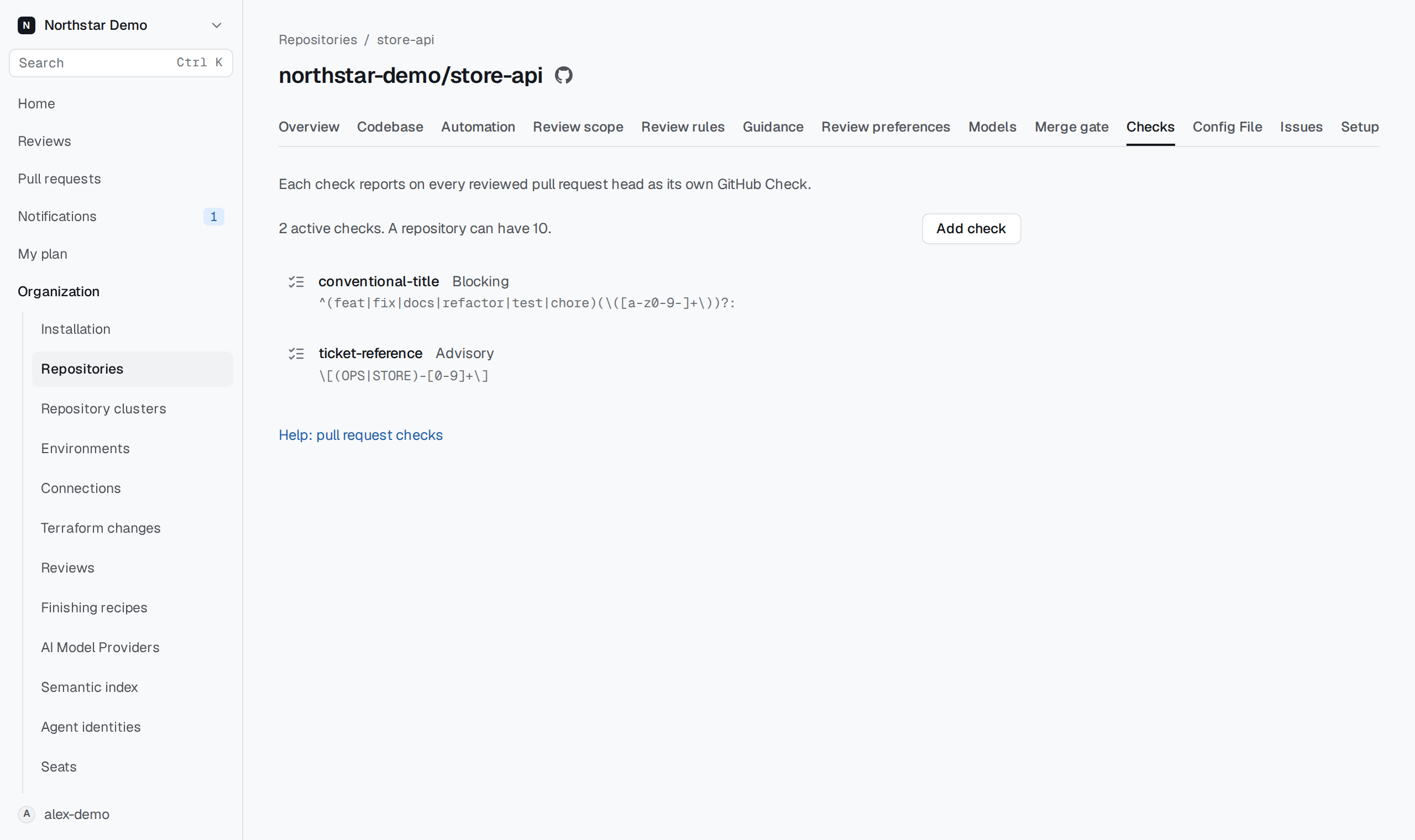
Use an organization administrator account, or an account that administers the repository on GitHub. Write access to the repository is not enough. If your GitHub sign-in has expired, Proofline asks you to sign in again. Once the repository has a check, the Checks page shows how many are active and how many the repository can have.
Add a check#
- Open Organization → Repositories.
- Open the repository and select Checks.
- Select Add check.
- Enter a Name of lowercase letters, digits or hyphens. The name cannot change later.
- Choose the Rule. For Pull request title, enter the Title pattern. It matches anywhere in the title unless you anchor it with
^or$. For Coverage, configure the report below. - Choose the Mode.
- Select Add check.
If Proofline cannot read the pattern as a regular expression, the page shows the reason and keeps what you entered.
Configure coverage#
Choose Coverage as the rule, then choose the Report source:
- API upload uses reports your CI uploads for the tested commit. Uploads require a repository-restricted token with
coverage:write. - GitHub Actions artifact reads an artifact from one workflow. Enter its stable Workflow ID from GitHub and the exact Artifact name. GitHub's web pages show a workflow's name and file but not its ID:
gh api repos/OWNER/REPO/actions/workflowslists each workflow'sidandpath.
Set Minimum changed-line coverage (%) and Wait for report (minutes). The minimum applies to executable lines changed by the pull request. Proofline reads your CI’s report; it does not run the tests.
Optionally set Maximum total coverage drop (points, optional) to compare total coverage with the merge base’s report. Leave it empty to skip that comparison. Enter exclusion globs, one per line, in Excluded paths (optional).
A missing, unreadable or unmappable report leaves coverage inconclusive. A total-drop comparison also needs a report for the merge base. The review’s Coverage section shows the reason and the tested commit when available.
Choose a mode#
An Advisory check reports whether its requirement is met. Its Check always concludes neutral, so it never blocks a merge.
A Blocking check succeeds when the title matches and fails when it does not. It needs action when Proofline recorded no title for the head. To block merges, add its Check as a required status check in the repository's GitHub rules. Proofline does not change GitHub rules.
A blocking coverage check succeeds when its requirements are met, fails when they are not, and needs action when coverage is inconclusive. It is skipped when there are no changed executable lines.
The separate Proofline check stays neutral in both modes.
When a change applies#
A check applies from the next reviewed head. Heads already reviewed keep the result they received. Editing a pull request title without pushing a new commit does not run the check again.
Edit, disable or reactivate a check#
Open the check from the list. Change the Rule, its parameters or Mode and select Save changes.
Select Disable check and confirm to stop new heads from reporting the check. If GitHub requires its Check, those pull requests cannot merge until you reactivate the check or remove the requirement. Select Reactivate check to report it again.
If somebody else saved the check after you opened it, the page says that the check changed and keeps your edits. Select Reload saved check to replace your edits with the saved version, then make your change again.