
Find an environment's investigations
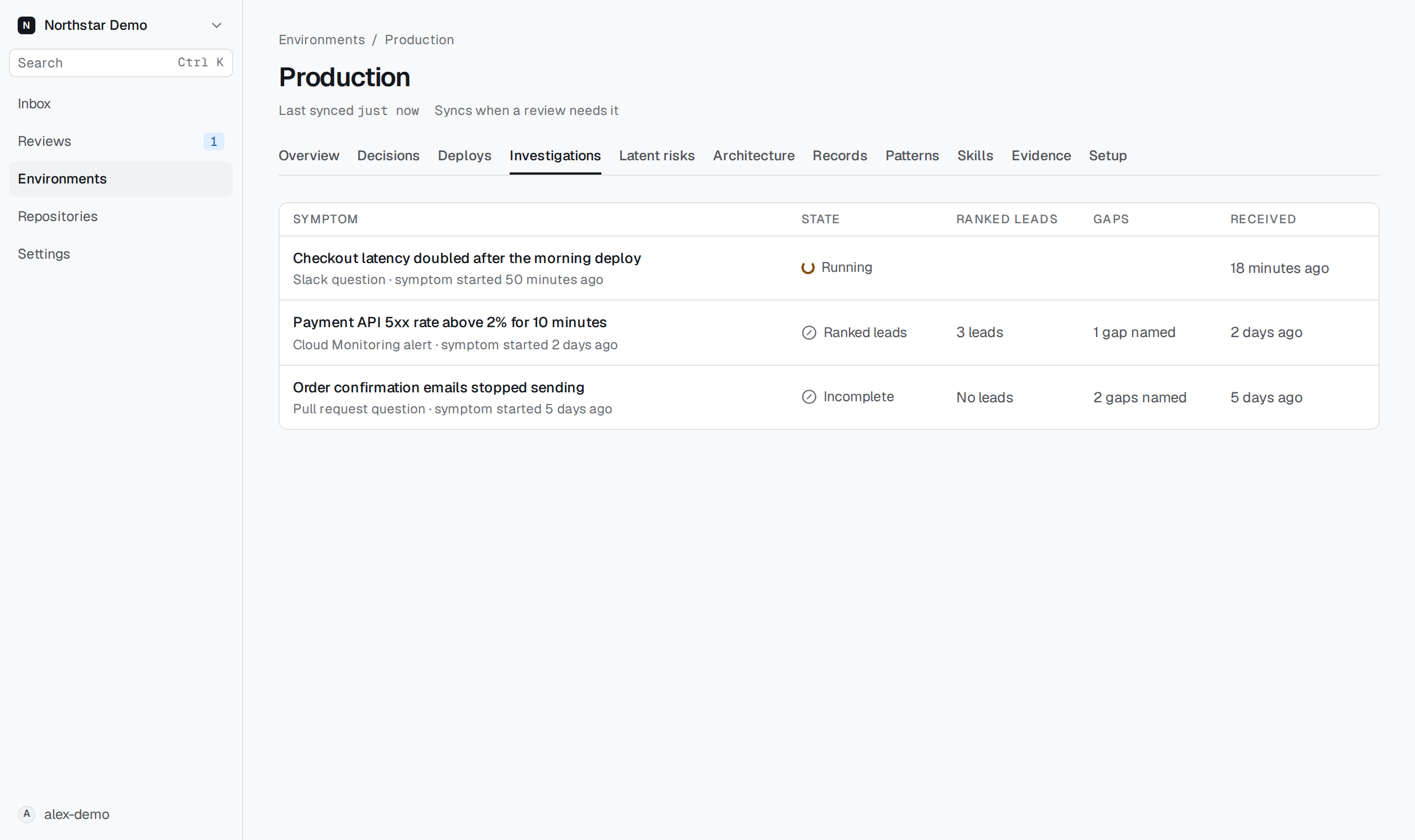
The Investigations tab lists every investigation Proofline ran in one environment, newest first. Use it to open an investigation without its Slack, pull request or incident link.
Open an investigation#
- Open Environments.
- Select the environment.
- Select Investigations.
- Select a row to open the investigation.
Each row shows the symptom, what started the investigation, when the symptom started and when Proofline received it. Select Older or Newer to move between pages.
Read the state#
- Running: Proofline is still reading evidence. The row updates when Proofline records the result.
- Ranked leads: the result ranks candidate changes. A lead is a change to check first, not an established cause.
- Incomplete: the result names no candidate change in the evidence Proofline read. This does not mean that nothing changed.
The Ranked leads column shows how many leads the result lists. The Gaps column counts the missing evidence the result names. No gaps named does not mean that the environment is healthy. Open the investigation to read each gap. Administrators also see a setup action when one exists.
An empty list means that no investigation has run in this environment. It does not mean that the environment is healthy.