
Build and read codebase pages
A repository's Codebase page holds generated pages that describe each module of its default branch at one commit. A module that holds only tests gets no page: every file in it sits under a directory named tests, e2e, fixtures, testdata or test-support, or one whose name ends in -test-support. Each claim on a page links to the lines it cites. The same page answers questions about the code and offers implementation plans.
Codebase appears in the repository's sidebar when you can open the repository's settings. Reading pages and asking questions also needs your own read access to the repository on GitHub.
Turn pages on#
Building pages runs the organization's model, so every build spends credits. A build that you request draws on your seat allowance first. Builds that a push or the schedule starts use the organization's credits.
- Open the repository's Codebase page and scroll to Settings.
- Select Build codebase pages.
- Choose when pages are rebuilt in Rebuild.
- Enter a Credit limit per build.
- Select Save settings.
Changing these settings needs repository settings permission. When you turn pages on, the credit limit starts no higher than the organization's balance, which appears beside the limit if you can see billing.
Rebuild offers three choices:
- Only when requested builds only when someone selects Build now.
- After a push, at midnight UTC waits for a push to the default branch, then builds the newest pushed commit at the next midnight UTC. A day without a push builds nothing.
- On every push to the default branch builds each pushed commit.
A build stops when its spending reaches the Credit limit per build, and it publishes nothing. The pages from the last completed build stay in place. A module whose files did not change keeps its earlier page, so a rebuild regenerates only the modules that changed. The pages a stopped build had already written count as earlier pages too, so the next build does not pay for them again.
Clear Build codebase pages and save to stop building. Published pages stay, but they no longer update.
Build now or cancel a build#
Select Build now to build the default branch's current commit. While a build runs, the page shows its elapsed time, its credits spent and Cancel build. A cancelled build publishes nothing.
A commit is built once. When the build of the current commit ended without publishing, the page says why, and Build now waits for a newer commit on the default branch. With On every push to the default branch, the next push starts that build.
Read a page#
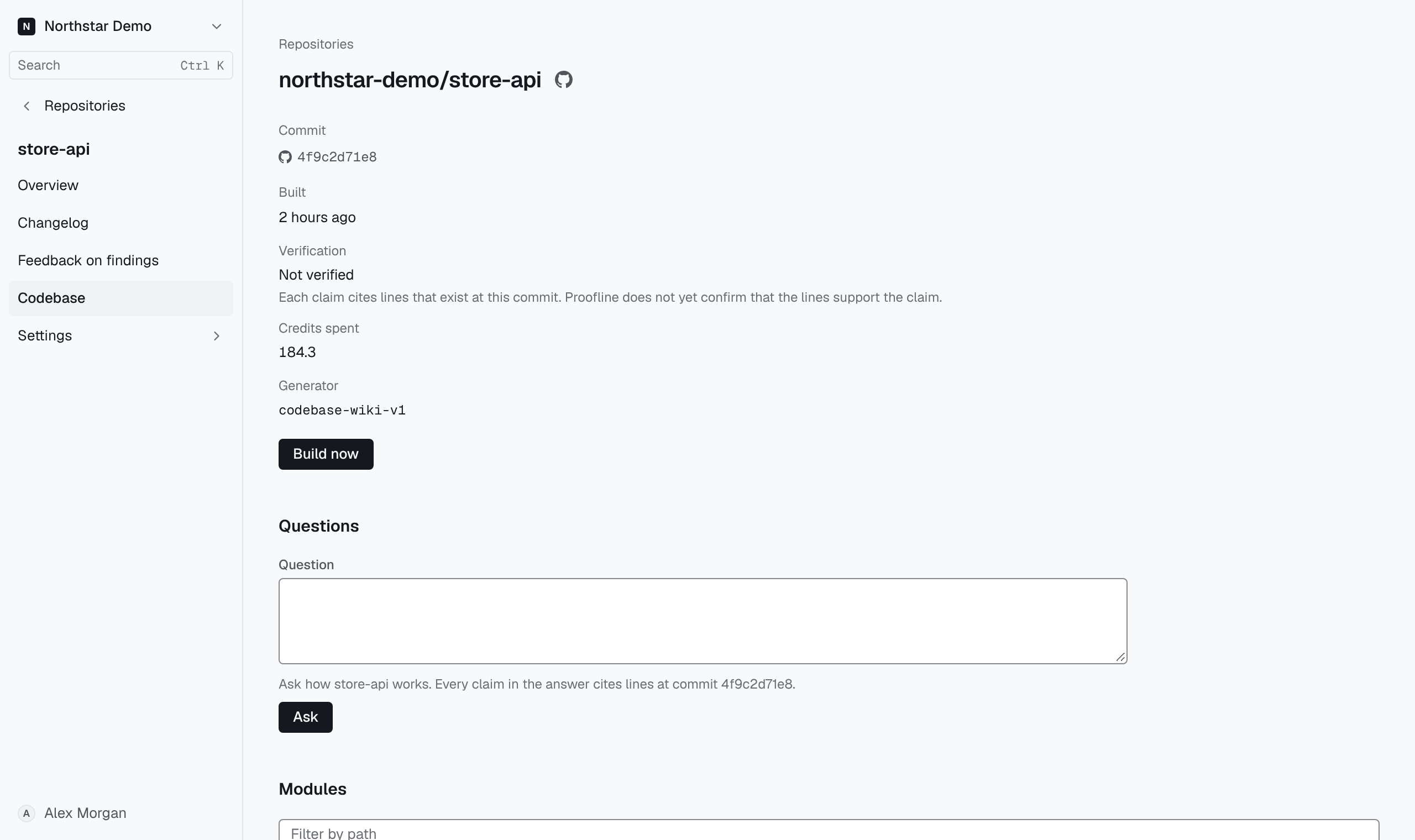
The top of the Codebase page shows the published build:
- Commit links to the commit every page describes. While a newer build runs, the pages keep describing this commit until it completes.
- Built shows when the build finished.
- Verification shows how many pages are verified. Not verified means each claim cites lines that exist at this commit, but Proofline has not confirmed that the lines support the claim.
- Credits spent shows what the build cost.
Under Modules, use Filter by path to find a module, then open its page. Each page repeats its commit and verification and lists its Citations at the end. A claim whose citation did not resolve at the commit is removed before the page is published. A page's text is deleted 30 days after a newer build replaces it.
Ask a question#
Questions appears after the first pages publish. Every member who can read the pages can ask.
- Enter your question in Question.
- Select Ask.
The answer is pinned to the commit that the form names, which is the published pages' commit. Each claim in the answer cites lines at that commit, and claims whose citations did not resolve are removed and counted below the answer. Answers come from the code alone; they do not describe the environments where the code runs. Each question spends credits. Question and answer text are deleted 30 days after the question is asked.
Plan a change#
Plans follows the module list. Select New plan to plan a change from pasted text, an issue of this repository, a Markdown file in the repository or design images. Each plan names the files, tests and environment changes it needs at one commit. Planning from an issue needs issue enrichment turned on.
New plan is available once codebase pages are published. Credit limit per plan, under Settings, caps what each version of a plan may spend.