
Keep a repository changelog
Proofline can draft a changelog entry of one to three sentences for each pull request that merges into a repository's default branch. Entries appear on the repository's Changelog page. Nothing is posted to GitHub.
Turn on changelog entries#
You need access to change the repository's settings. Others see the setting without being able to change it.
- Open Repositories and select the repository.
- Open Settings → Automation.
- Under After merge, select Changelog entry.
- Select Save post-merge actions.
Proofline drafts entries for pull requests that merge after you save. Each entry is one request to your organization's review model and uses credits. When no model is available or the organization has no credits left, that merge gets no entry.
A merge into another branch, such as a release branch or a merge lane, gets no entry and uses no credits. Its change gets an entry when that branch merges into the default branch.
To stop drafting entries, clear Changelog entry and save. Existing entries stay on the page.
Read the changelog#
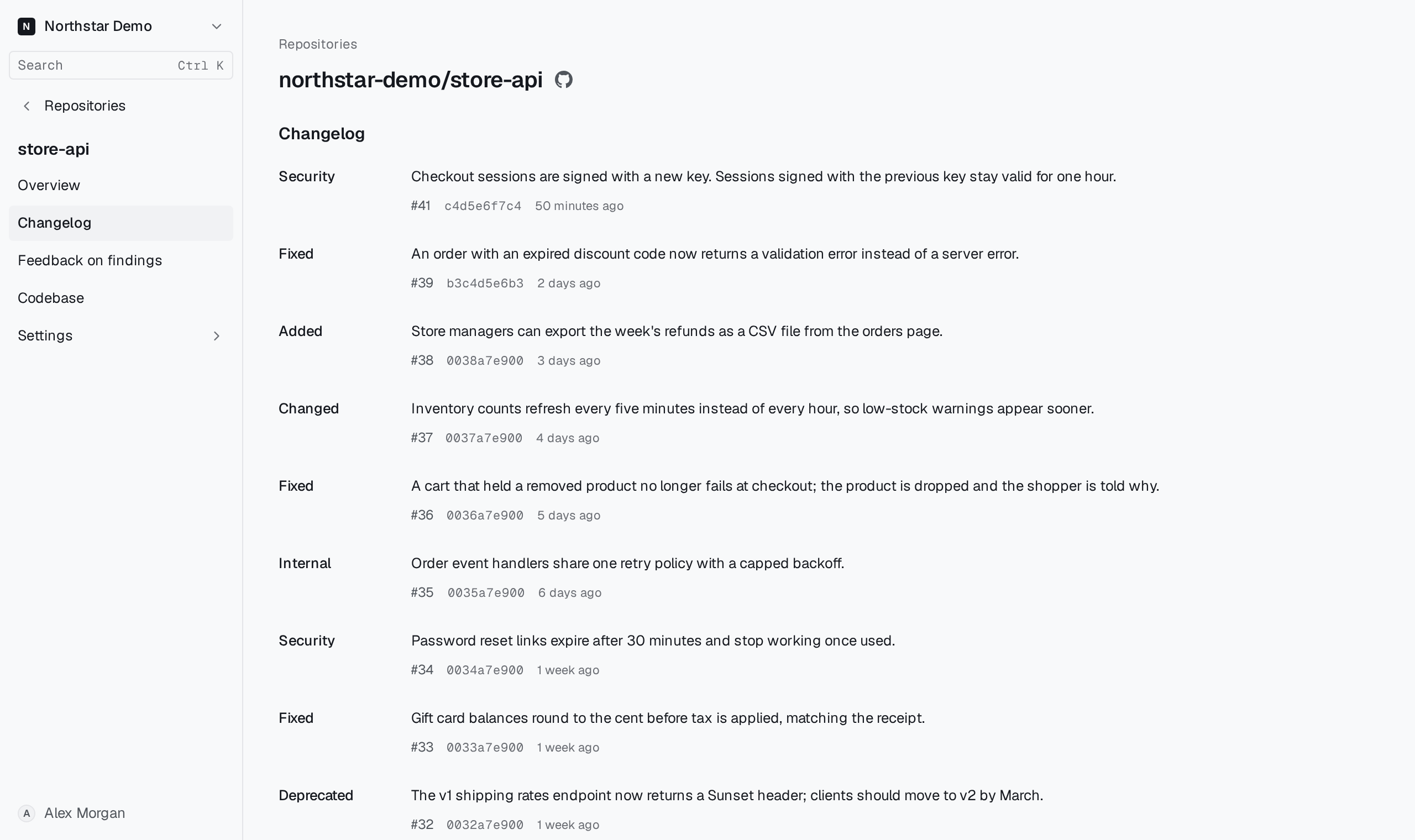
Open the repository and select Changelog in the sidebar. Every member of the organization can open it.
Entries are listed newest merge first. Each one shows its summary, the pull request number, the merge commit and when it merged; select the number or the commit to open it on GitHub. An entry shows a category, such as Added, Fixed or Security, only when Proofline has decided it. Use the page links at the bottom to read older entries.
An entry summarizes the merged diff. Open the pull request when you need the exact change.
No changelog entries means Proofline has recorded no entry while the setting was on: no pull request has merged into the default branch since then, or none of those merges got an entry, because no model or credits were available or the drafted entry was refused. If you can change the repository's settings, select Post-merge actions to open the setting.