
Approve learned review preferences
Proofline proposes review preferences from how your team responds to its findings: a GitHub reply that declines a finding, several similar findings your team decided the same way, or comments your reviewers repeat in the repository's history. A proposal changes nothing until a person approves it.
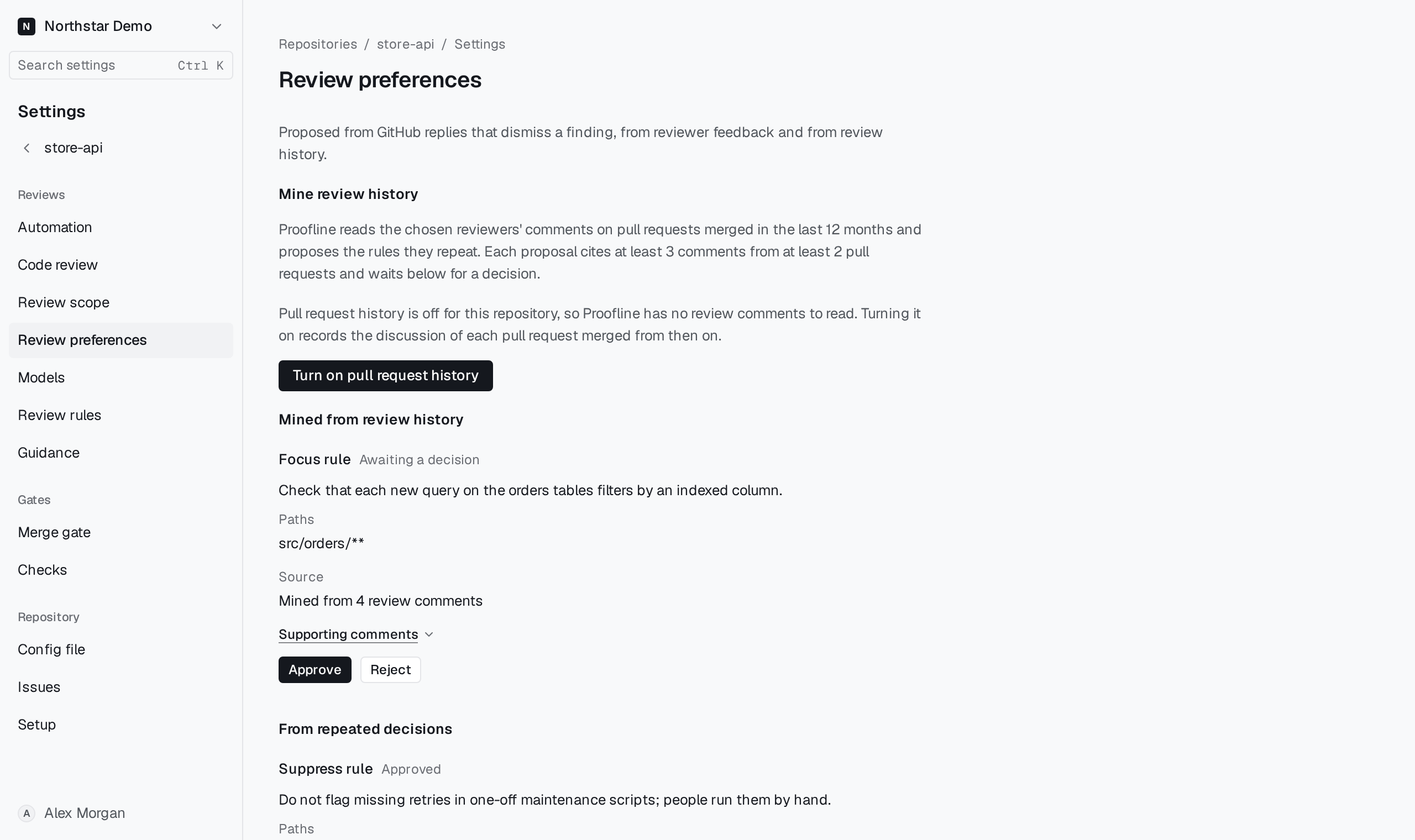
Open the proposals#
Open Repositories, select the repository, then open Settings → Review preferences. People who can change the repository's settings decide on proposals; others can read them.
Proposals are grouped by where they came from: Mined from review history, From repeated decisions and From replies and reviewer feedback. Each shows its state, such as Awaiting a decision or Approved, and lists every earlier decision with who made it and when.
Read a proposal#
A proposal is one of three kinds:
- A Focus rule points later reviews at its paths. The reviewer reads it as guidance; it never makes a concern safe or withholds a finding.
- A Suppress rule holds later code findings like the declined ones it was drafted from, so they are not posted again. The Check says the finding matches a review rule the team approved. A matching finding is still posted when it cites a file outside the rule's paths or is more severe than the declined one, and environment findings are never held.
- A topic, such as Keyboard accessibility, leaves one kind of finding out of later reviews. The proposal says which.
A rule shows its text, its Paths and its Source, such as Mined from 4 review comments or Drafted from 3 similar findings your team decided. Expand Supporting comments or Supporting decisions to read the evidence. A proposal drafted from a reply quotes the reply and links View reply on GitHub.
Decide#
- Select Approve or Reject on a proposal awaiting a decision.
- When you approve a rule, edit its text and its paths, one glob per line, before you confirm. Leave the paths empty to apply the rule to every path.
- Confirm the decision.
An approval applies to reviews created after it. To stop applying a preference, select Revoke; select Approve again to restore it. Proofline can retire a rule on its own, and the history then says why; select Reinstate to bring it back. The audit log records each decision.
Mine review history#
Organization administrators also see Mine review history at the top of the page. Choose the reviewers whose comments count. Proofline then shows how many comments and pull requests from the last 12 months it will read and the most that classifying them can cost. Drafting each rule is charged as it runs. Select Start mining. A run can finish without proposing a rule; each rule it proposes cites at least 3 comments from at least 2 pull requests and waits here for a decision.
When no review comments are stored for the repository, the section offers Turn on pull request history, which records the discussion of pull requests merged from then on, and then Import merged pull requests to read the last 12 months.