
See feedback on a repository's findings
A repository's Feedback on findings page lists the findings people have responded to and counts what they did: how they assessed each finding, how they reacted and replied on GitHub, whether its thread was resolved, and whether the flagged line changed before merge. The counts record what happened. They are not a score, and none of them changes a finding.
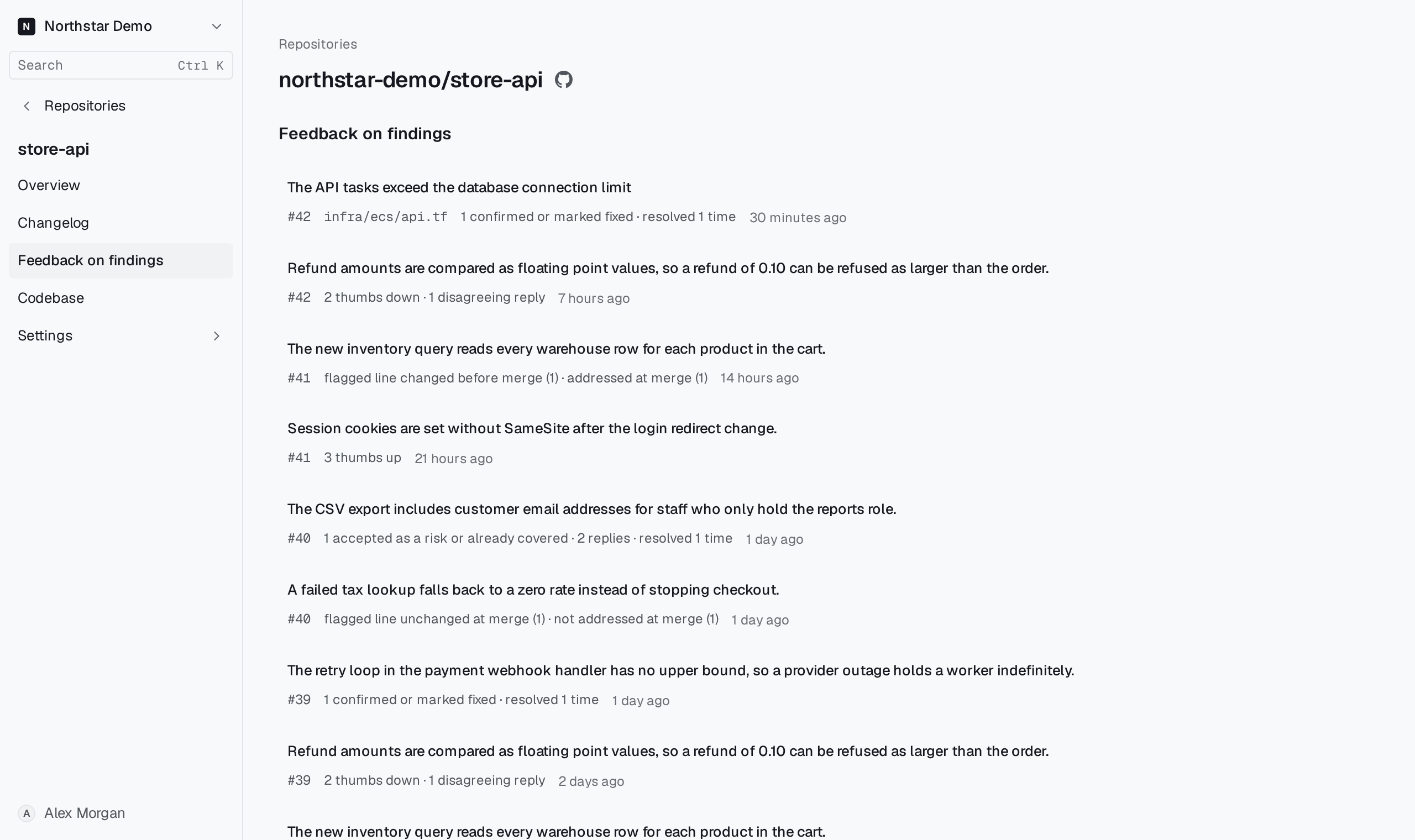
Open the page#
Open the repository and select Feedback on findings in the sidebar. Every member of the organization can open it.
The findings with the latest feedback come first. Each row shows:
- the finding's claim, which opens the finding when it is still available;
- the pull request number, which opens the pull request on GitHub;
- the file the finding cites, which tells apart two findings with the same claim;
- what people did, such as 2 thumbs up, 1 dismissed or flagged line changed before merge (1);
- when the latest feedback arrived.
No feedback on findings means nobody has assessed, reacted to, replied to or resolved a thread on this repository's findings yet.
What each count means#
| Count | What happened |
|---|---|
| confirmed or marked fixed, dismissed, accepted as a risk or already covered | People assessed the finding in Proofline or with a pull request command. |
| thumbs up, thumbs down, other reactions | People reacted to the finding's comment on GitHub. |
| agreeing replies, disagreeing replies, replies | People replied in the finding's thread. |
| resolved and reopened | The finding's review thread was resolved or reopened. |
| flagged line changed before merge or unchanged at merge | Proofline compared the flagged line with the merged code. |
| addressed at merge or not addressed at merge | Proofline judged after merge whether the comment was addressed. |
Reactions and thread resolution appear only after an organization administrator turns on Learning signals under Settings → Organization → Data.
Open a finding to read its evidence and history. Read and act on a finding describes how to assess one.