
Choose how notifications reach you
Open Reviews → Notifications → Delivery preferences to choose which requests reach you outside the console. Your choices apply to the current organization. If Delivery preferences is absent, you can still read your notifications under Reviews → Notifications.
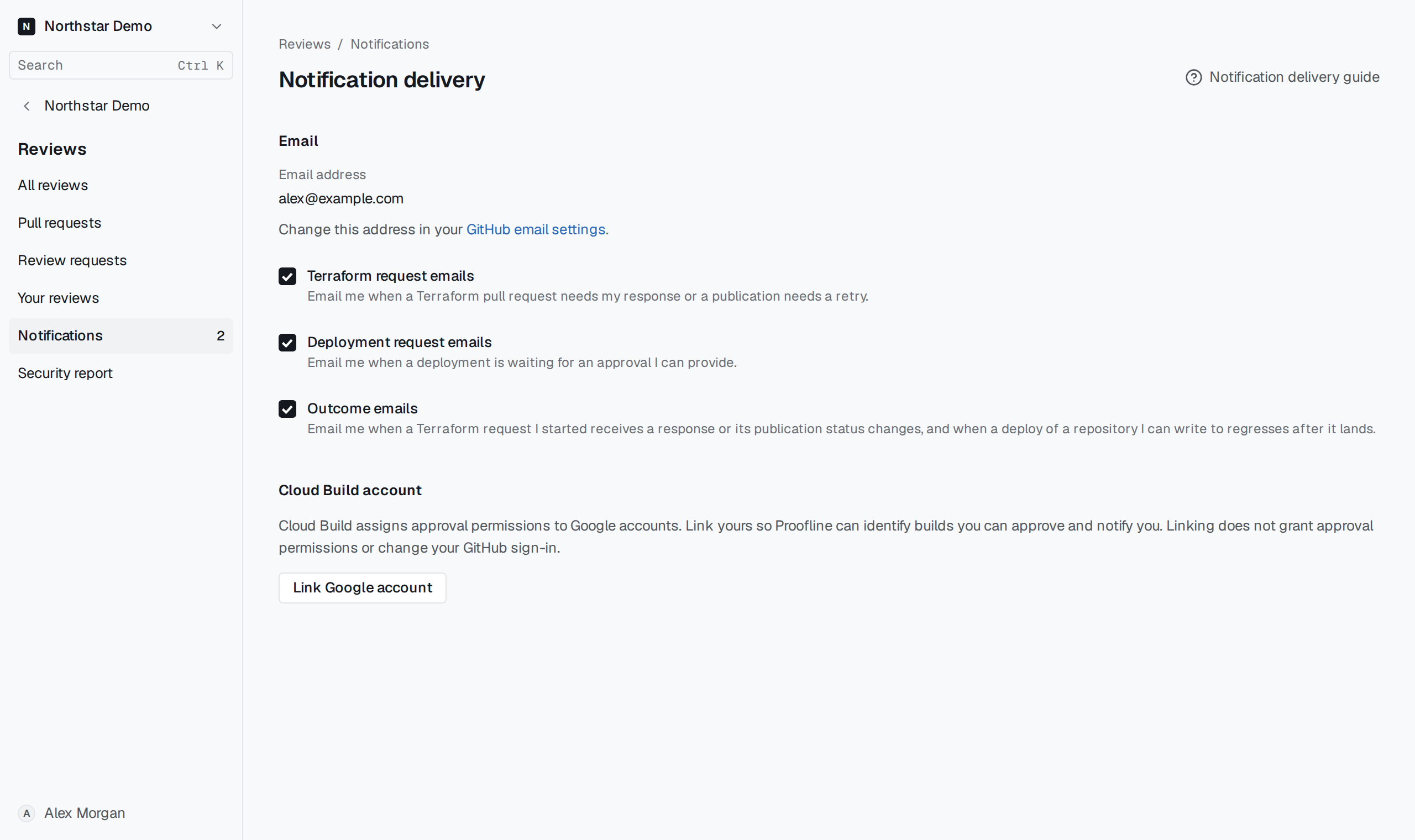
Choose your emails#
Under Email, select or clear a checkbox. Each choice saves immediately. All three start enabled.
- Terraform request emails tell you when a Terraform pull request needs your response or publication needs a retry.
- Deployment request emails tell you when a deployment is waiting for approval you can give.
- Outcome emails cover responses and publication changes for Terraform requests you started, and regressions after deploys from repositories you can write to.
Proofline uses your verified primary GitHub email address. If no address is available, open GitHub email settings, choose a verified primary address that can receive mail, then sign in to Proofline again. A GitHub noreply address cannot receive these emails. If delivery is paused, choose a different verified primary address. While you resolve a delivery problem, read the notification in the console.
Receive Cloud Build approval requests#
When Cloud Build account appears, select Link Google account and sign in with the account you use to approve builds. Proofline uses that link to identify requests you can answer. Google Cloud controls which builds you can approve.
The linked email address appears under Cloud Build account. To change accounts, select Unlink Google account, then link the account you want to use.