
Find the repositories driving this month's review spend
Use Settings → Billing → Usage to identify which repositories contributed most to the current month's charges before changing review automation.
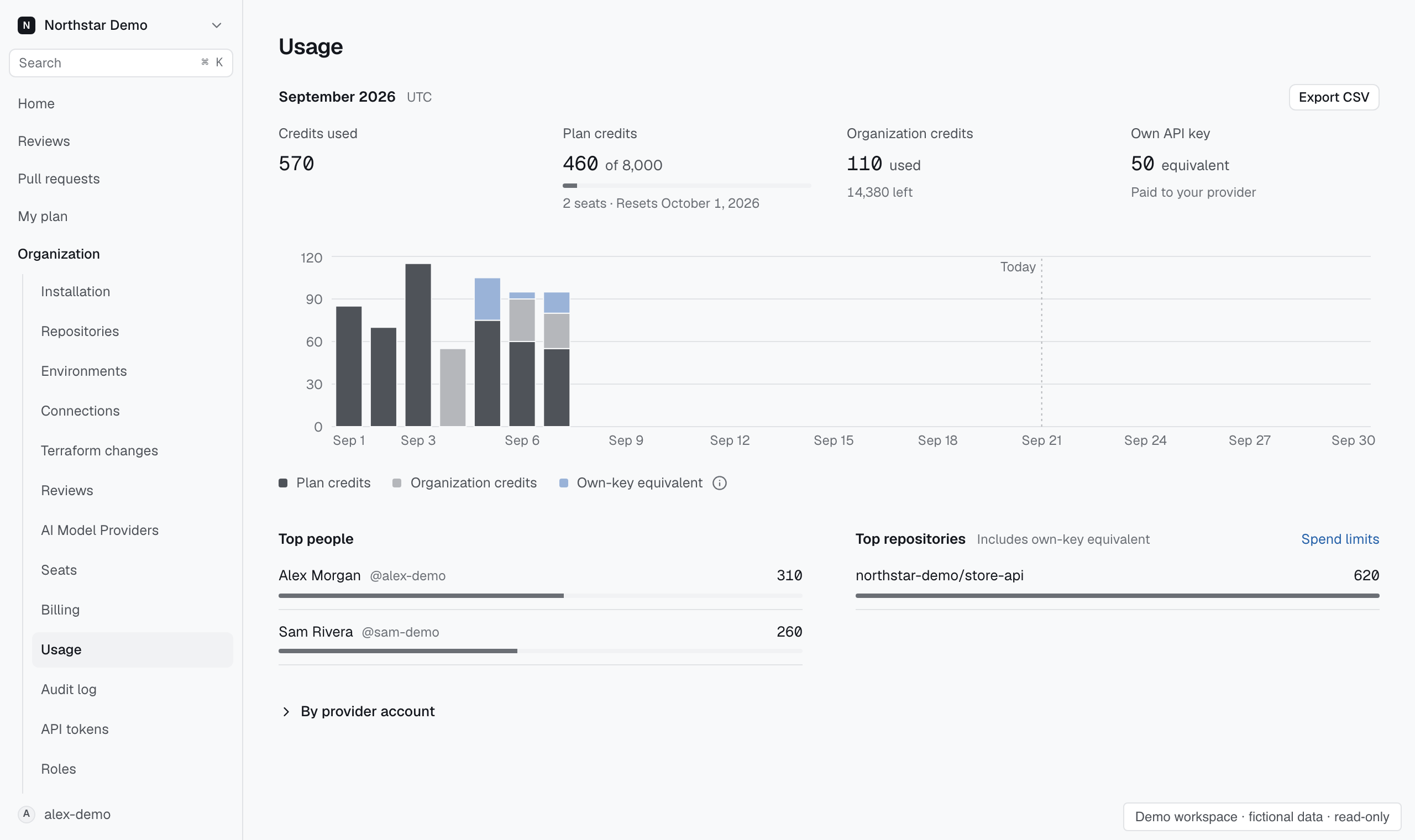
Compare the rows#
Read Top repositories alongside the daily chart. Open Reviews and inspect activity for a repository during the days its spending increased. On a review, open Details for that run's cost.
Charges with no repository attribution appear under No repository. Keep those separate when comparing totals. A high total alone does not identify the setting or author responsible.