
Verify a correction after marking a finding fixed
Open the finding to record your assessment of a change. Use the verification history and a new review to check whether the evidence supports the fix.
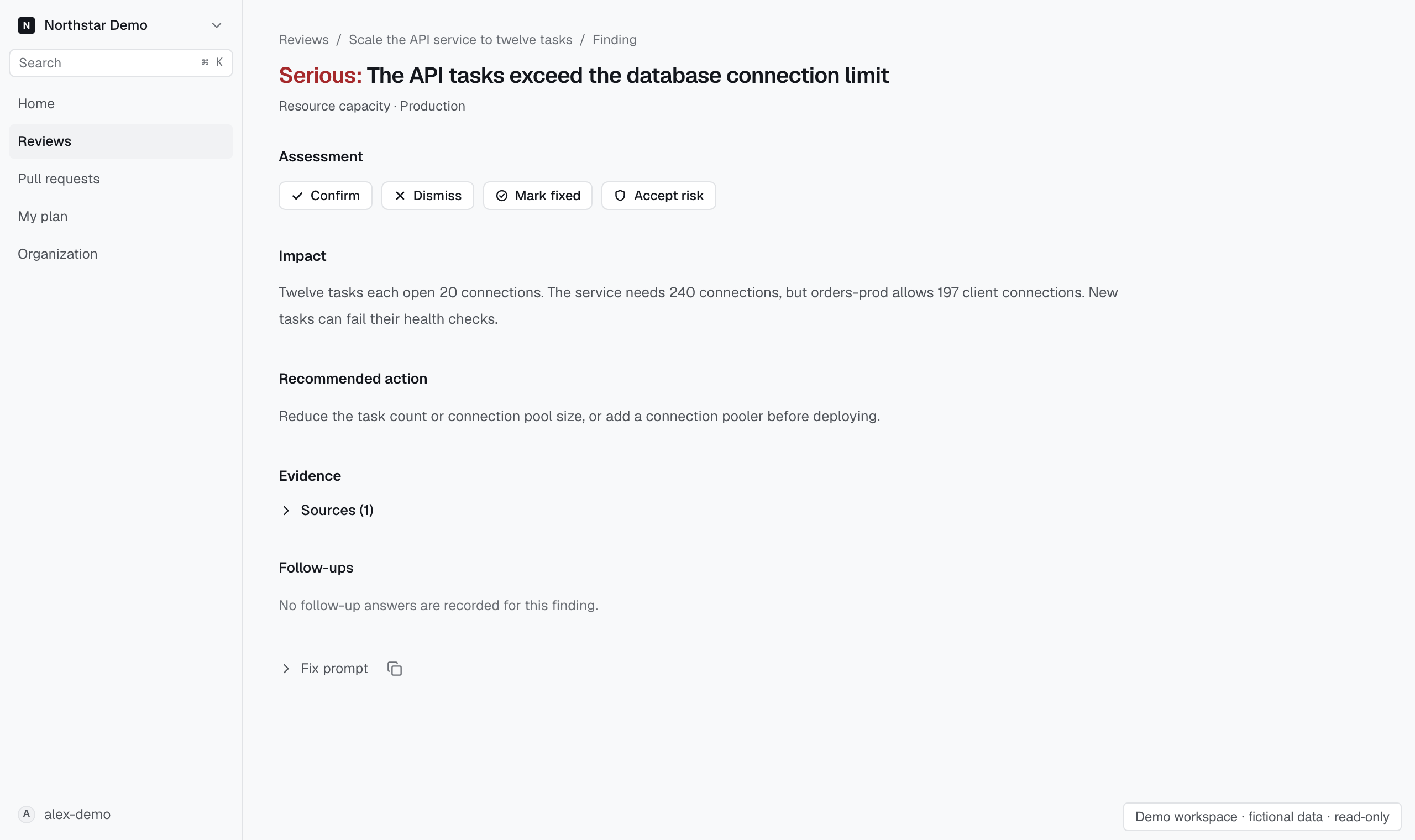
Verify the correction#
When the assessment controls are available below the finding thread, use Confirm, Dismiss, Mark fixed, or Accept risk to record your judgment. These actions preserve the earlier evidence. Marking a finding fixed is a person's assessment, not a new verification run.
Hover over an action, or open About these actions beneath them, to read how it changes later reviews and merge-gate decisions on the pull request. None of them changes the finding's GitHub thread or a gate decision already made. Respond to a finding describes each one.
Review and test the resulting code through your normal workflow. Run a new Proofline review to assess the updated change.
Agent fix loop lists the re-verification requests a coding agent made for the finding: the commit or local changes it named, who asked, Proofline's outcome, and the agent's note. When a note disputes the finding or asks a person to look, the finding page shows that note at the top. A note changes nothing else: the finding stays open until Proofline verifies a fix.
The earlier finding remains part of the review history. A later review provides a new result rather than rewriting the original evidence.