
Inspect the scope of an agent's proposed configuration change
Follow the approval link to the Configuration change page and check the organization, affected setting and proposed values before deciding whether to apply the change.
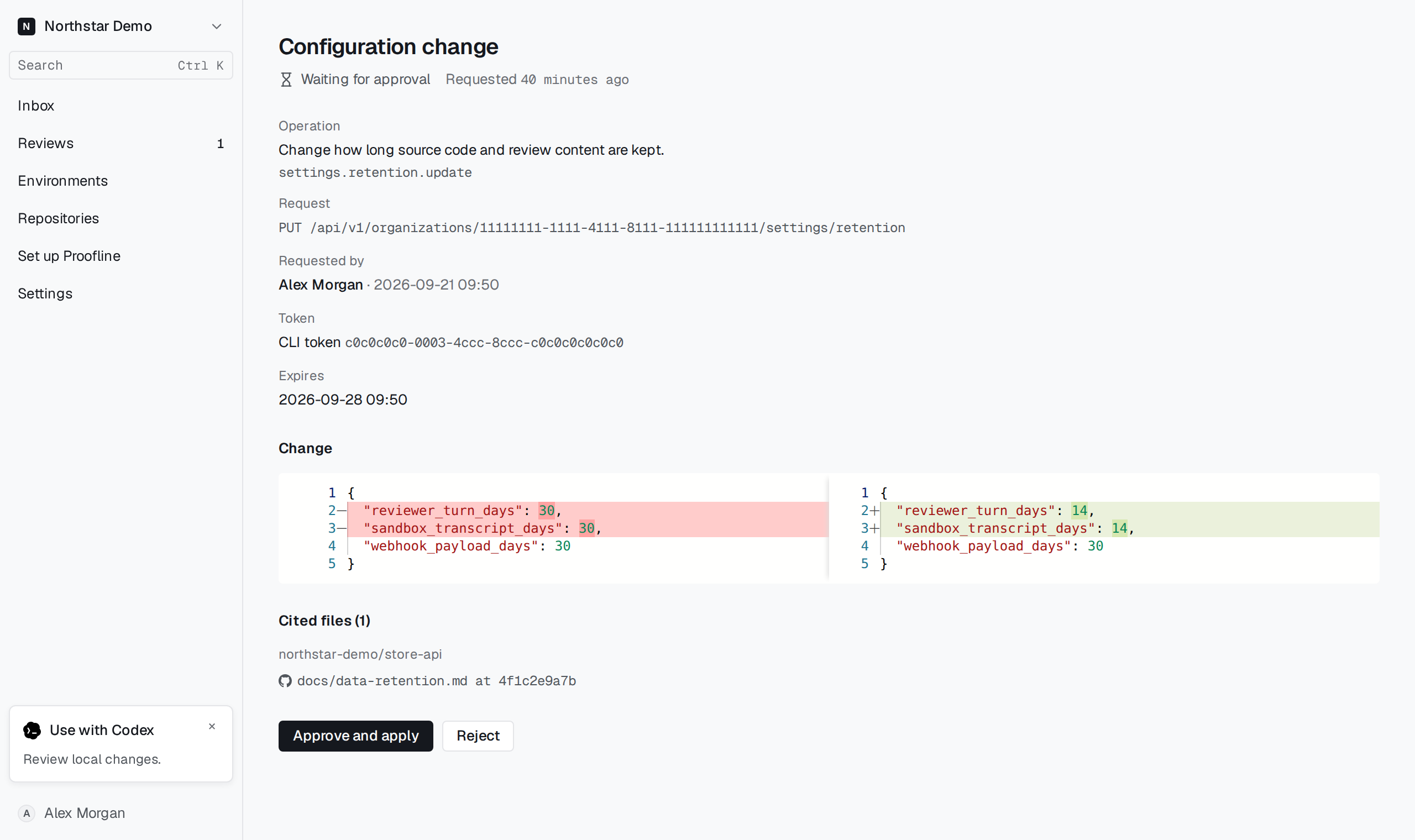
Check what the agent proposed#
The agent wrote the proposal, so read it as a request, not as a description you can rely on. Check each part before you decide:
- Read Operation and Request to see which setting the change targets.
- Read Requested by and Token to see whose agent proposed it and through which sign-in. A change that Proofline's setup conversation proposed shows Through: The setup conversation instead of a token.
- Compare the two sides under Change. The left side holds the values the agent read and the right side the values it requests. When the request sets some fields of a setting, the left side shows only those fields. A request that sends no values, such as a removal, shows the configuration it acts on instead.
- Open each link under Cited files. These are the repository files the agent read to choose a value, each at the exact commit it read. A change with no cited files has no such section.
- Note Expires. A change that nobody decides by then closes without applying.
In the Installation conversation the same change appears as a card: the request, each field it changes, and the cited files under Read from.