
Pin a comment to a live page element
Pin an annotation when the reader needs to identify exactly which control or region behaved unexpectedly. The report places the comment beside its screenshot on the timeline.
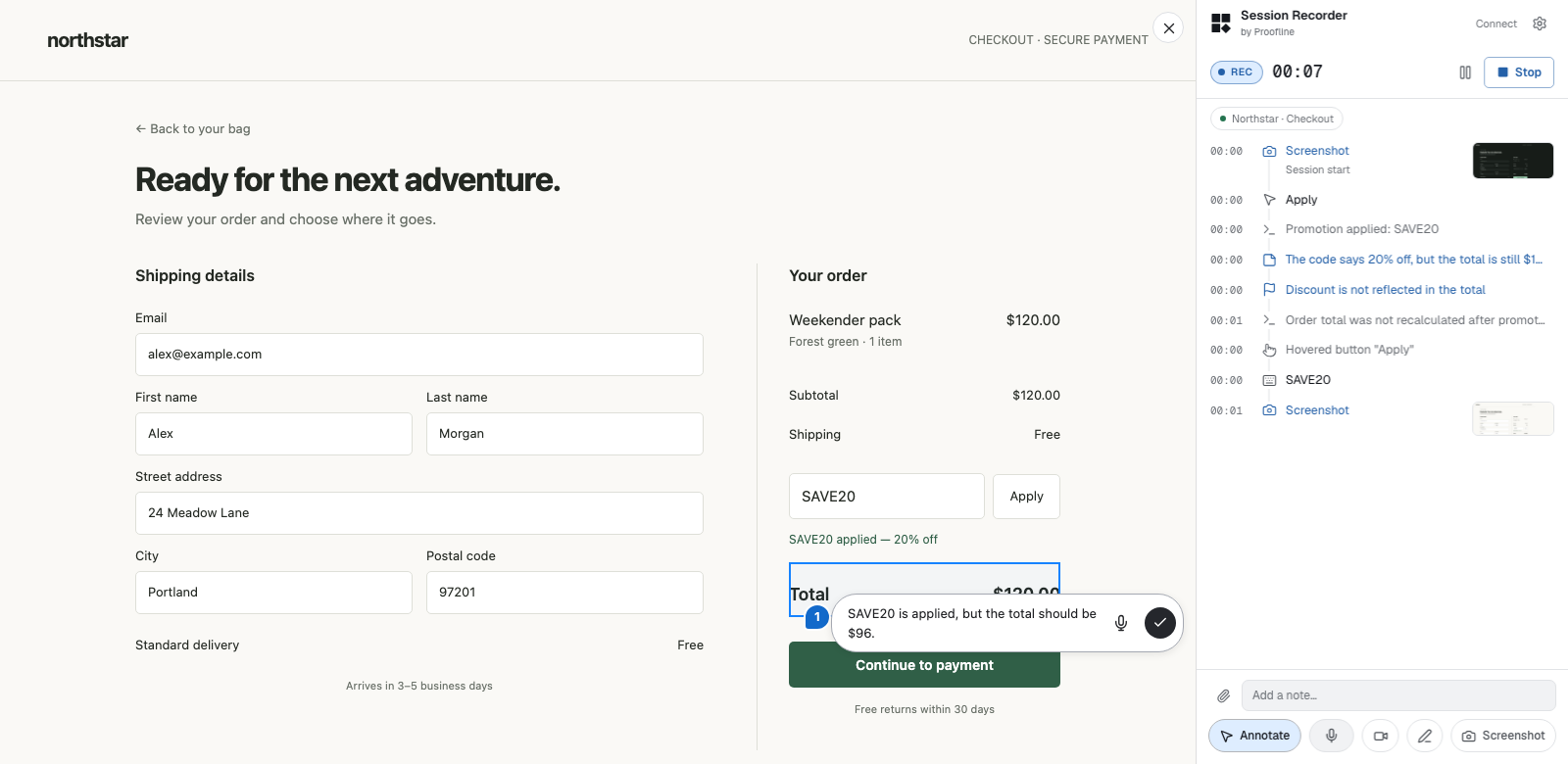
Place and save a pin#
While recording, turn on Annotate. Click the highlighted element, or drag a rectangle around an area. Type the expected result and press Enter or select the check button. Use Shift+Enter for another line.
Toggle Annotate off to continue interacting with the site. If a click only selects an element, you are still annotating. Esc closes the active comment before leaving annotation mode.