
Set a monthly organization spending limit
Use an organization limit to cap new reviews or alert administrators as monthly charges accumulate. Open Spend limits in Settings → Billing → Plan and credits.
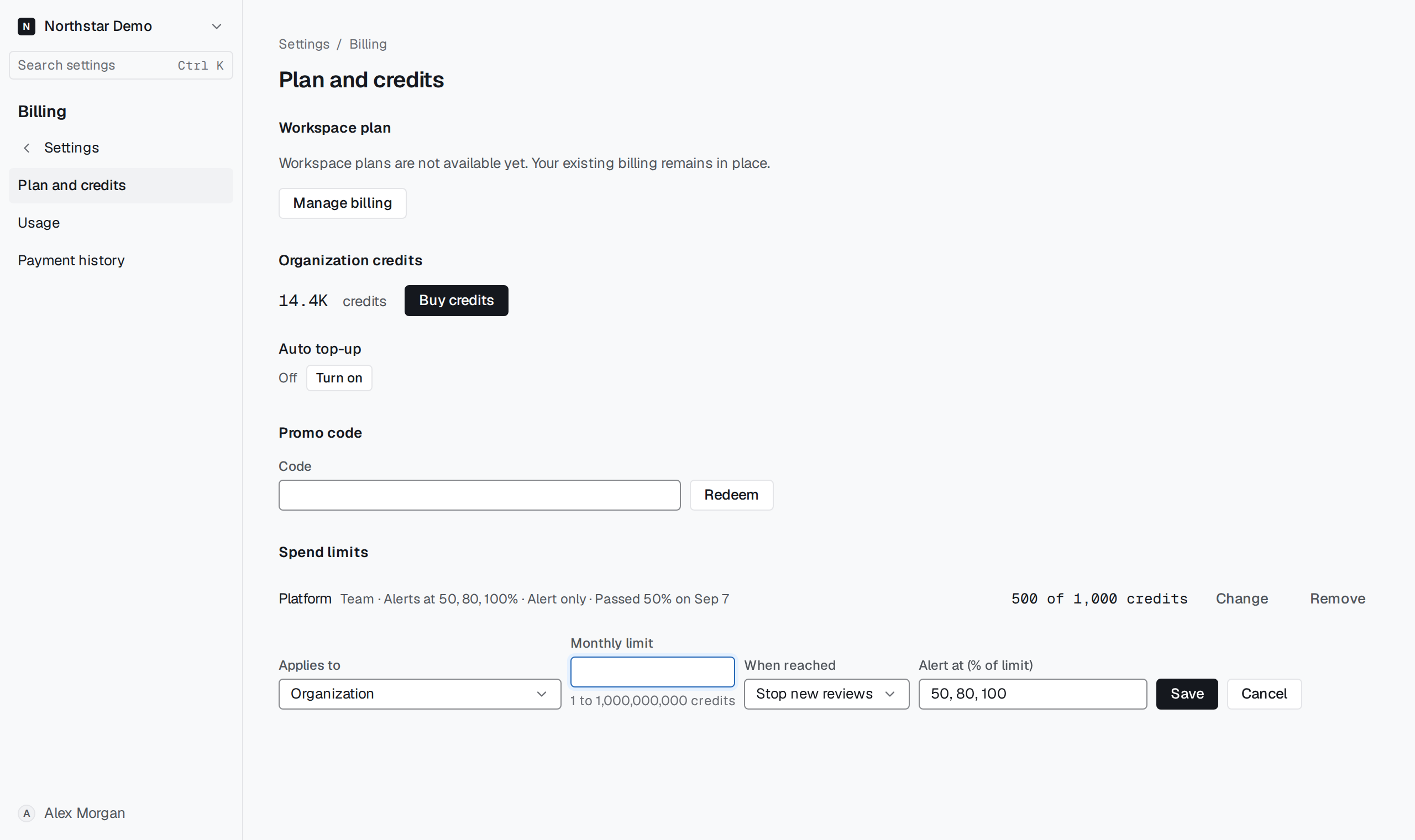
Define the policy#
Select Set limit, choose the organization under Applies to, and enter the Monthly limit in credits. Under When reached, choose Stop new reviews to enforce the cap or Alert only to keep reviews running. Save the limit.
The limit applies within its monthly accounting period. Work already running can finish after a stop limit is reached. Check the limit row for the latest threshold crossed.