
Start, read and stop a repository audit
An audit examines one repository at one commit for consequential defects, such as incorrect behavior, security flaws, data loss and concurrency failures. It reports each finding once an independent verification confirms it, and it spends no more than the credit cap you give it. Open Repositories, choose the repository, then select Audits in its sidebar.
Proofline sets the most credits one audit may be given. The Audits link appears once audits are available to your organization. Until then, the Audits page of a repository that already has an audit says that audits are off for the organization, and no new audit can start.
Start an audit#
You need write access to the repository.
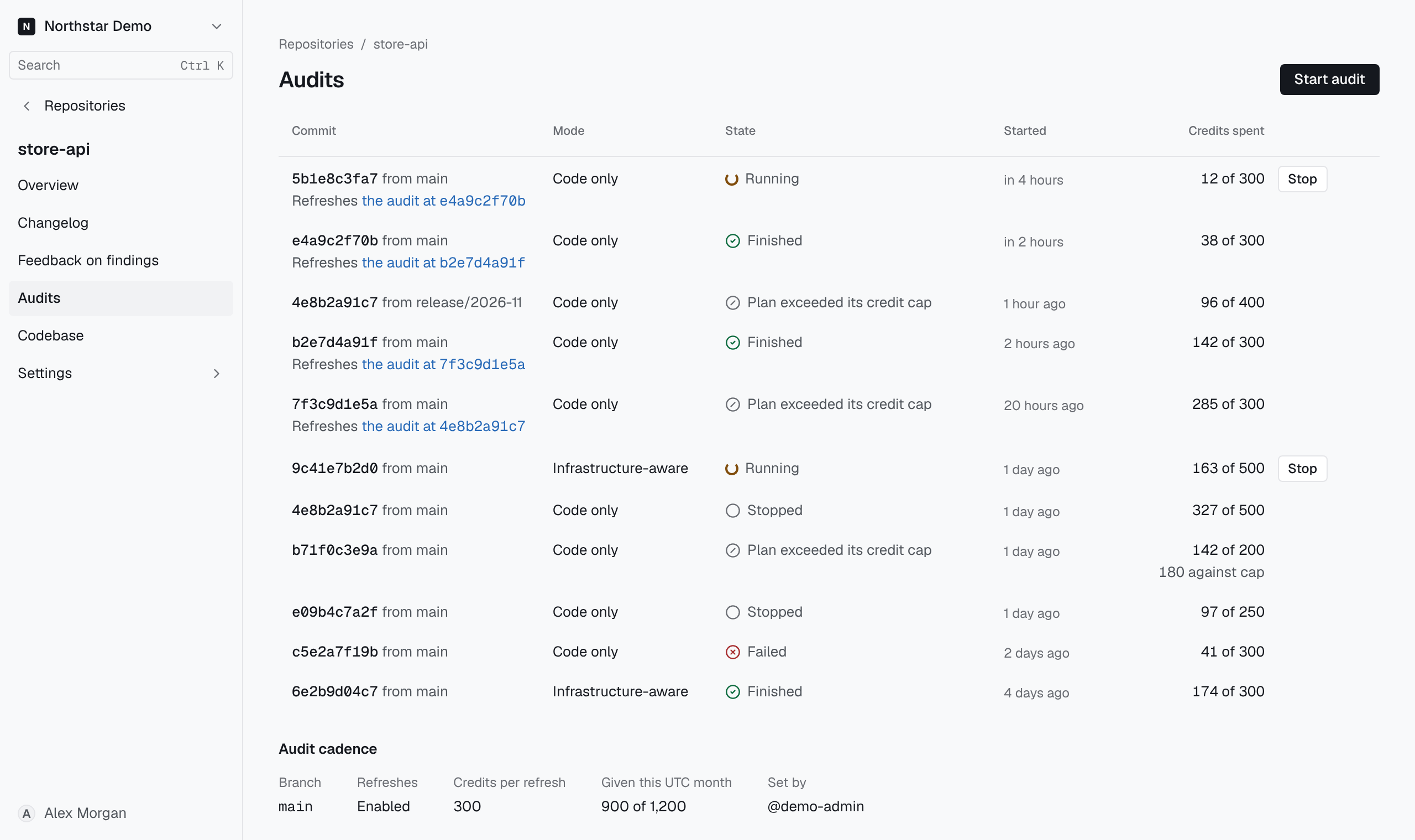
- Select Start audit.
- Under Branch, tag or commit, enter a pushed branch, tag or full commit SHA. The form starts with the repository’s default branch. A branch or tag is read as the commit it points to when the audit starts, and later pushes do not move the audit.
- Enter a whole number in Credit cap, within the range shown under the field.
- Select Start audit. The audit’s report opens.
If GitHub cannot find the revision, check that it has been pushed and correct the target. If the organization has no credits left, the page says so and links to billing.
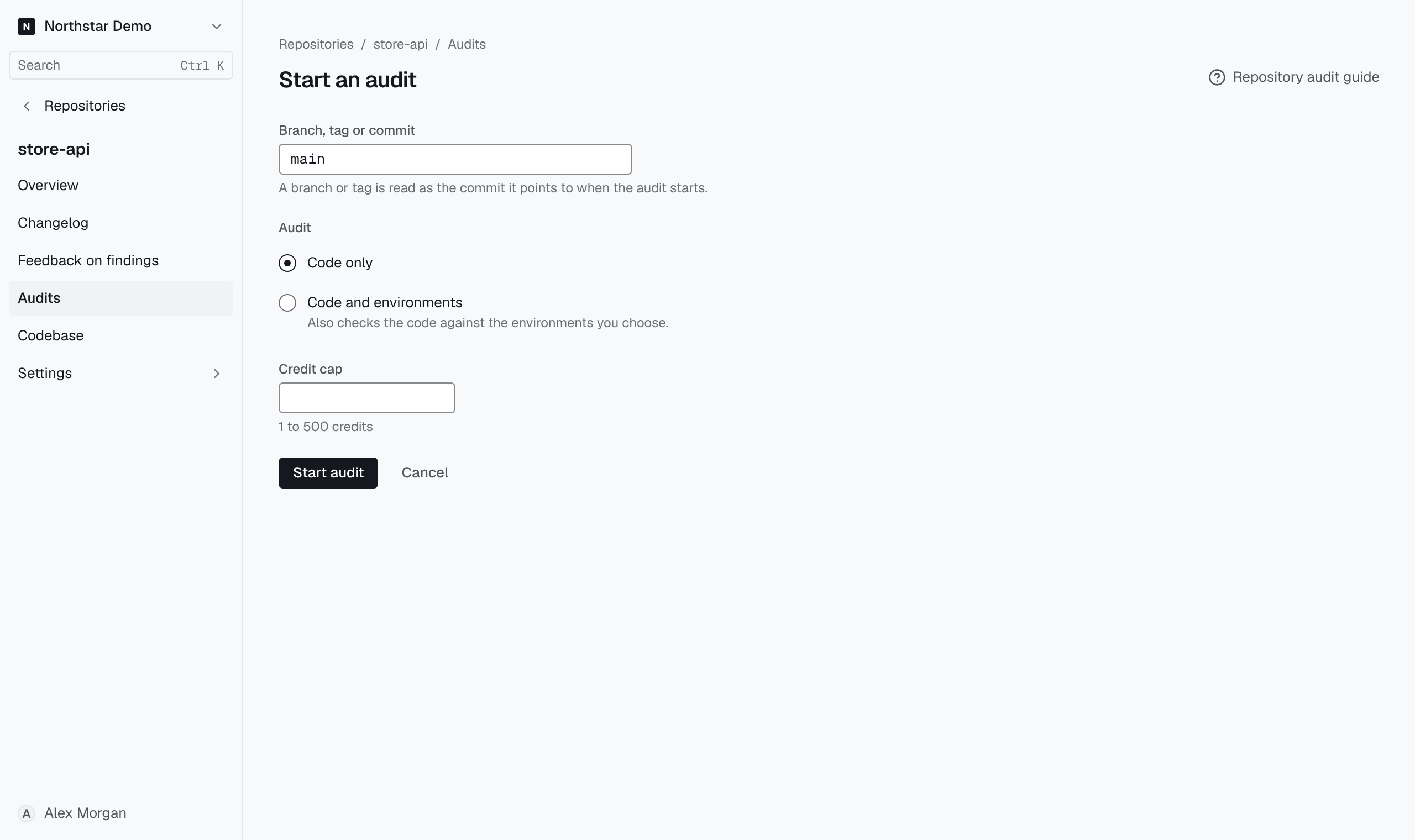
Audits lists each audit with its commit, the branch or tag it came from, its state, when it started and the credits spent of its cap. Use the commit to distinguish an audit from a later audit of the same branch.
Read the report#
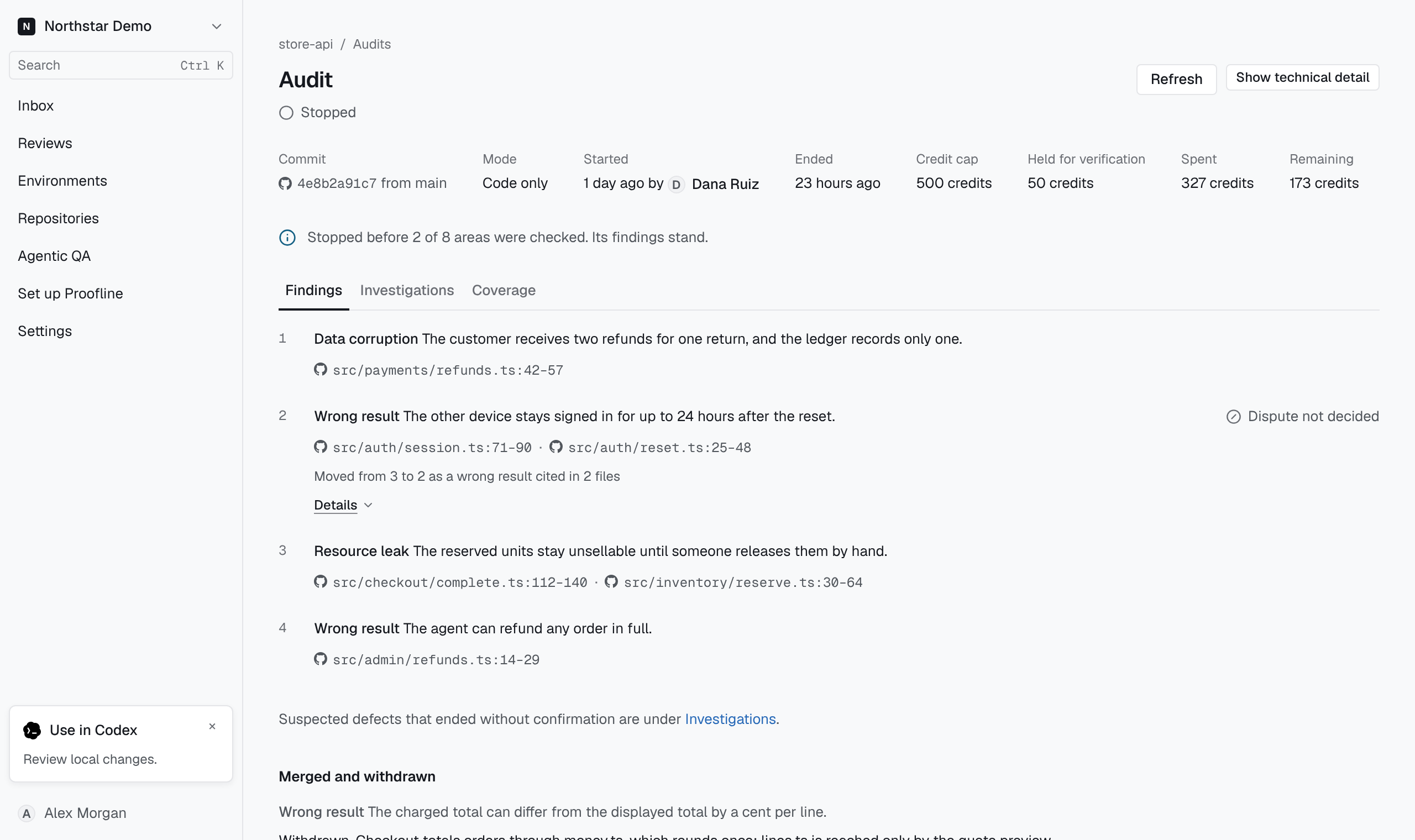
Select an audit’s commit in Audits to open its report. The facts at the top give the commit, who started the audit and when, the Credit cap, the credits Spent and the credits Remaining. Held for verification is the part of the cap kept for confirming suspected defects. While the audit runs, the report updates as its work develops.
The report has three views:
- Findings ranks the confirmed findings. Each names its consequence, links to the code it concerns and, if its rank changed, says how. With Show technical detail selected, open Details to read when the defect happens, how verification confirmed it and whether it was reproduced in a sandbox. A finding that was merged into another or withdrawn moves to Merged and withdrawn with its reason and history.
- Investigations shows the work in progress and the work that ended, with the suspected defects each investigation raised. A suspected defect is not a finding until verification confirms it.
- Coverage says what the audit examined, what it is still examining, and what it did not check and why.
Select Show technical detail to add each item’s full evidence, and Show concise report to return.
An audit that ends with no confirmed findings says only what it examined. No audit claims that the repository is free of defects, however it ends; read Coverage for what it did not check.
Stop work in progress#
Find the running audit in Audits, or open its report. Select Stop, then confirm with Stop audit. Proofline ends running investigations and starts no more for that audit. It keeps the findings and coverage recorded up to the stop. The report says how many areas the audit did not check, and Coverage names them.
An audit also ends when its plan needs more than the credit cap. Its state then reads Plan exceeded its credit cap, and the report keeps its findings and says what the cap left unchecked, in the same way as a stop.