
Give one codebase build its own credit limit
An organization administrator can start a codebase build with a credit limit that applies to that build alone. The repository's Credit limit per build stays as it is, and every other build, including scheduled and push-started ones, keeps using it.
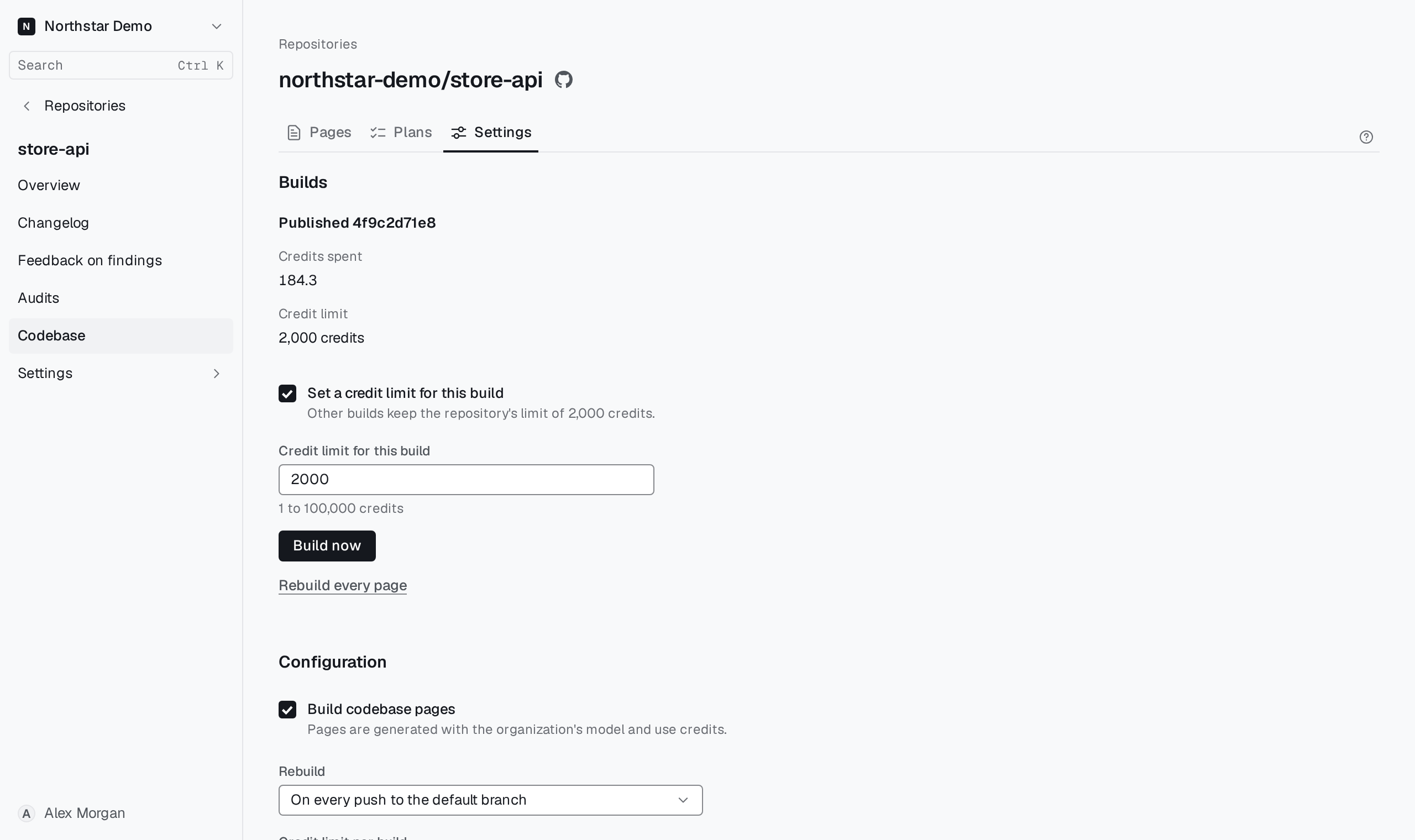
Set the limit and build#
- Open the repository's Codebase page. Before the first pages publish, Build now is on the Pages tab; after that, select the Settings tab and find Builds.
- Tick Set a credit limit for this build. The description beneath it shows the repository's limit that other builds keep.
- Enter the amount in Credit limit for this build. It must be a whole number of credits within the range the field accepts.
- Select Build now.
The build's Credit limit then shows the amount with this build only. A build that reaches its limit stops without publishing, and the pages from the last completed build stay in place.
The checkbox appears only for organization administrators. Other people with access to Build now start the build under the repository's limit. Rebuild every page always uses the repository's limit.
To change the limit for every build, edit Credit limit per build in the codebase settings. Build and read codebase pages explains it, and Build or cancel codebase pages for a repository covers the rest of Builds.