
Override a repository's review models
A repository can use its own provider, model and reasoning effort for any of its review models while the rest follow the organization's choices. Change them on the repository's Settings → Models page.
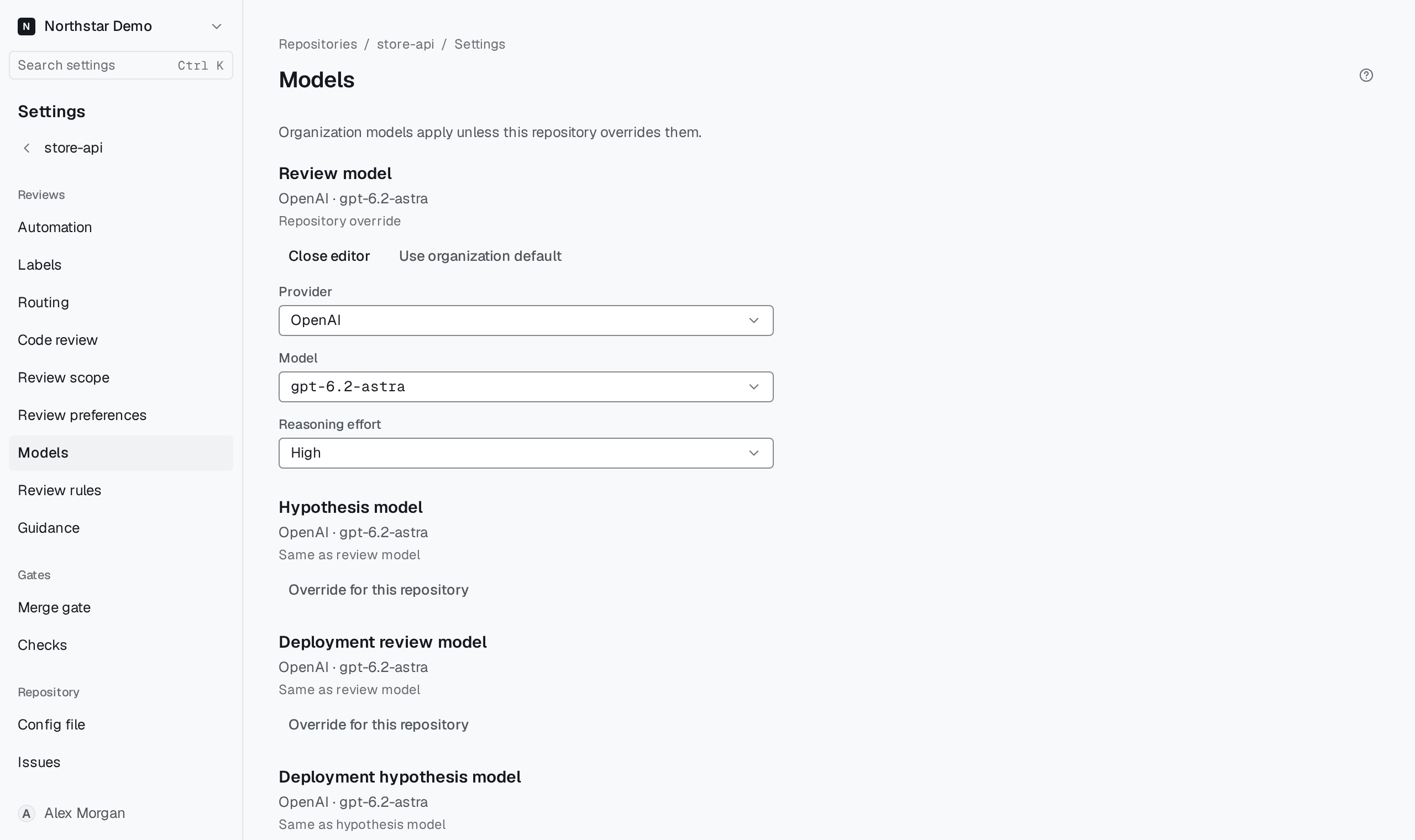
Override one model#
- Open the repository and select Settings → Models.
- On the model to change, such as Review model or Deployment review model, select Override for this repository. The fields start from the model the repository uses now.
- Choose a Provider. Proofline default uses Proofline's configured model and needs no model choice.
- Choose a Model.
- For OpenAI, choose a Reasoning effort, from Low to Maximum. Other providers have no such field.
- Select Save model settings. Model settings saved. confirms the change.
To change an existing override, select Edit on its model. Discard changes drops every unsaved edit.
Read where each model comes from#
The line under each model's summary names its source:
- Repository override: this repository's own choice.
- Organization default: the organization's choice, which Choose review models changes.
- Same as review model, Same as hypothesis model or Same as deployment review model: neither sets this model, so it uses the named one.
Return a repository to the organization's models removes overrides.
When you cannot choose a provider#
Add an AI model provider to choose a different model. means the organization has no provider this repository can use. Add one on the organization's AI model providers page, then return here.
A selected provider is unavailable. means a saved override uses a provider the organization no longer offers. Choose an available provider, or use the organization's models. A model that is no longer offered shows (currently configured) and cannot be chosen again.
Without permission to manage models, the page shows the current choices and no buttons. The message under them names the reason, such as an archived repository or lost GitHub access.
When the settings change while you edit#
Model settings changed. means someone saved this repository's models after you opened the page, and saving is disabled. Reload current settings loads their version and replaces your unsaved edits, so note your changes before you reload.