
Read the groups in Review requests
Use Review requests to see why each pull request needs attention. Each pull request appears in one group.
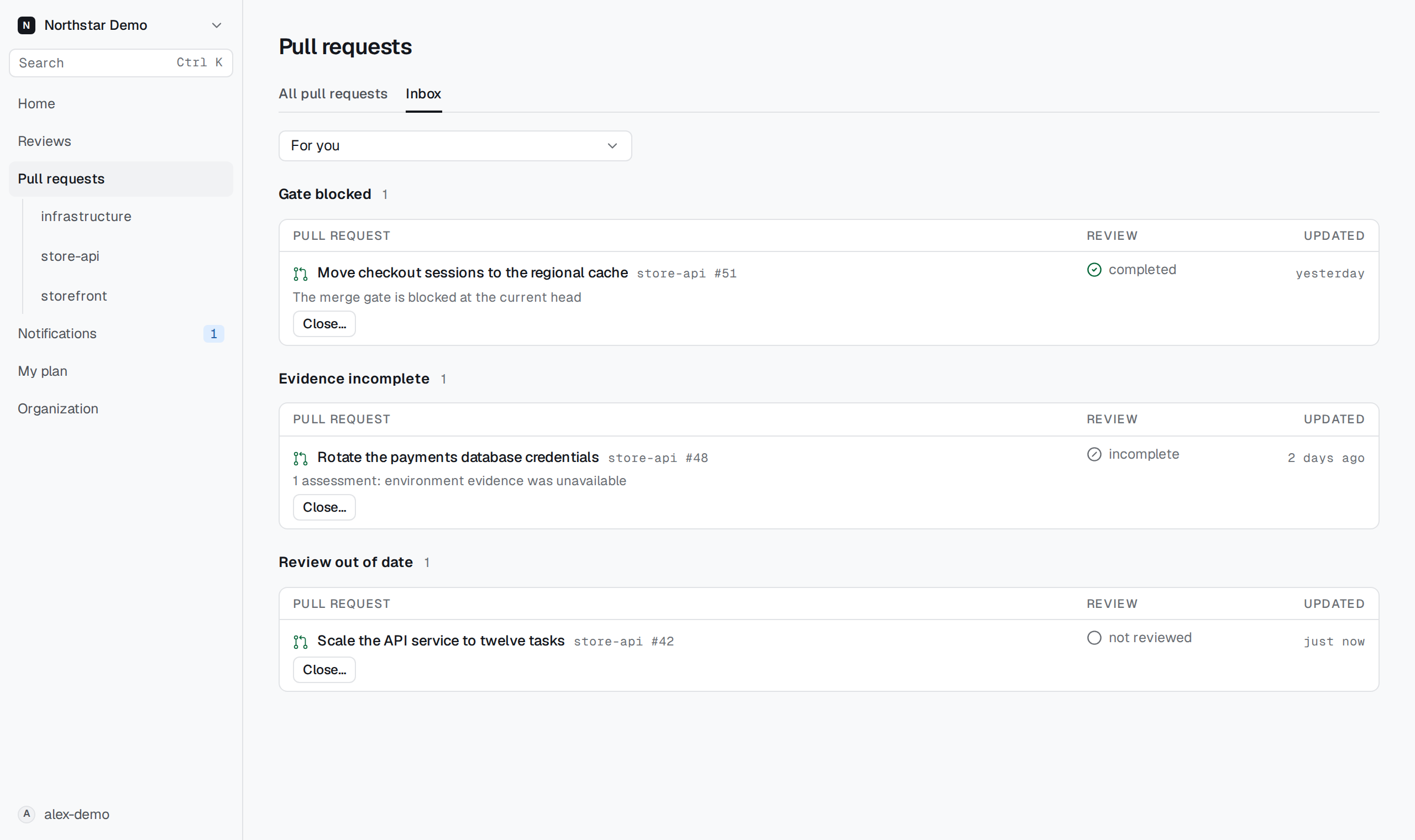
Read the groups in order#
Open Reviews → Review requests and choose For you or For your teams. An active pull request appears in the first group that applies.
- Gate blocked means a merge or deployment gate is blocked at the current head. Open the pull request to read the decision.
- Serious findings open means serious findings still need attention. Open the review to read the findings and their evidence.
- Review incomplete means the review is unfinished or left checks it could not complete. Check which parts ran before you use the result.
- Awaiting review means GitHub requested a review from you or your team.
- Not reviewed at the current head means Proofline has no review for the current commit, or could not establish that the review covers it. Compare the reviewed commit with the current head.
- Warnings open means the review still has warnings to address.
- No open items means Proofline has no open review items recorded for the current head.
Inactive appears last and takes precedence for pull requests that have gone without a GitHub update for the inactive period. Open it to see those requests. If the selected view has no matching pull requests, it says No pull requests need you.