
Read what an audit plan cannot scan
An audit plan lists, before the audit starts, the files no credit cap can scan and the gaps in the code index that narrow its investigations.
Open the repository's Audits, select Start audit, then Plan audit. The notices below appear on the plan only when they apply.
Files the audit cannot scan at any cap#
Files the audit cannot scan at any cap counts the files the audit leaves out whatever cap you choose: files above the size limit, submodules and unresolved symbolic links. Raising Credit cap does not bring them in.
If the plan says it "could not apply this commit's .gitattributes exclusions", it gives the reason. The files those exclusions would have left out stay in the plan.
Code index gaps#
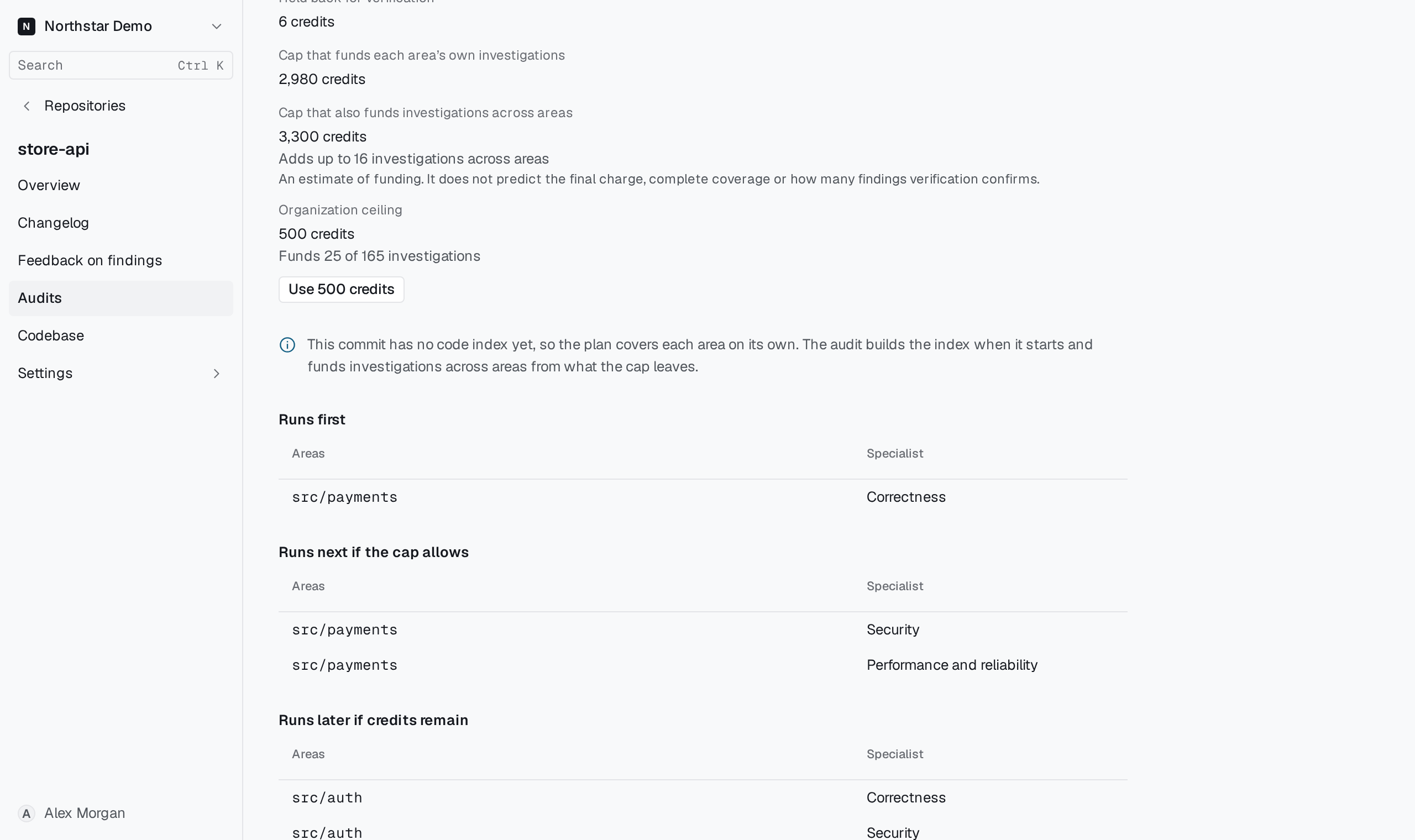
The code index lets the plan trace investigations across areas that import each other. Without a complete index, the plan says so:
- This commit has no code index yet. The plan covers each area on its own. The audit builds the index when it starts and funds investigations across areas from what the cap leaves.
- This commit's code index is still building. Plan again once it is built to see investigations across areas.
- This commit's code index failed to build, or This deployment cannot build a code index. The plan and the audit cover each area on its own.
- The code index misses some imports. The plan may leave out investigations across the areas those imports join. The list beneath names files whose imports were read only in part, files whose imports the index did not read, and imports unresolved because a required manifest was unavailable. It also says when the commit exceeded the index's total import limit.
If the plan says it "reaches its limit of" linked area pairs, it names how many pairs it leaves out at every credit cap.
When the plan cannot run#
"This repository is outside what an audit supports" replaces the plan and gives the reason. The audit would end before it plans anything.
If the plan says the repository's model setting "names no model an audit can use", its investigations would end before they spend. Choose a model on the repository's Settings → Models page, then plan again.
After the audit starts, Read an audit's Coverage view shows what it examined.