
Understand why an implementation layer was refused
When an implementation attempt does not validate, the attempt's notice and the failing layer each state a reason. Most reasons point to something you can change in the plan, the repository or GitHub before you implement again.
Open the plan's Implementation section and read This attempt did not validate at the top of the attempt, then the reason beneath the first layer that did not validate. Layers above it stop with did not validate, so this layer was stopped; fix the first one. Diagnose an implementation plan that did not validate covers the validation results and Activity.
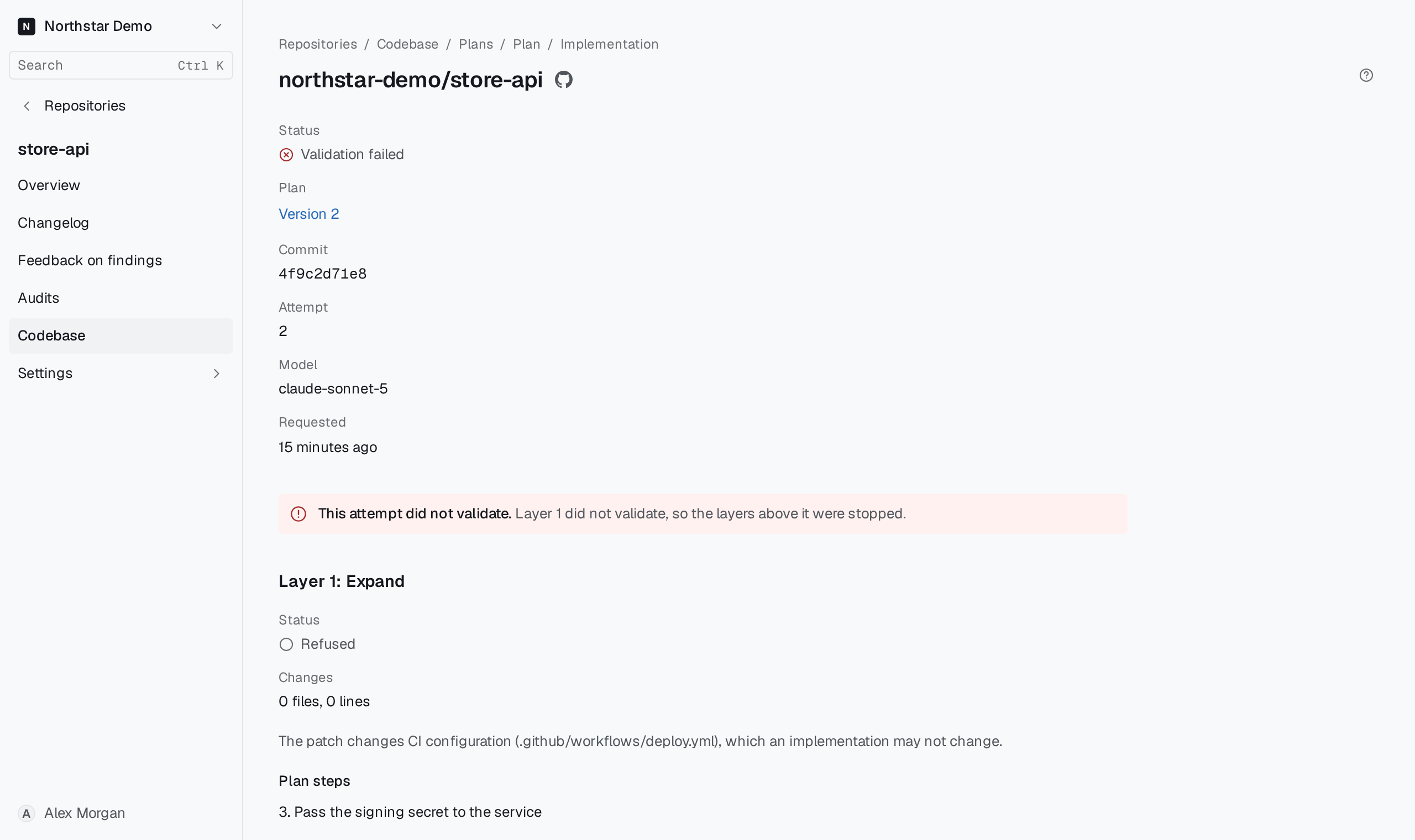
The patch changes a file an implementation may not change#
An implementation never changes CI configuration, a CODEOWNERS file or Proofline configuration. The reason names the file in parentheses:
- The patch changes CI configuration refers to GitHub Actions workflows or actions.
- The patch changes a CODEOWNERS file refers to any file named CODEOWNERS.
- The patch changes Proofline configuration refers to any path with a directory or file whose name starts with
.proofline.
Make that change yourself in a separate pull request. Then give feedback on the plan asking it to leave the file alone, approve the new version and implement it.
A layer is also refused when its patch edits an existing migration, changes a binary file, or changes a symbolic link or submodule. The reason names the file. Ask the plan to add a new migration or to leave that file out.
The patch contained a protected value#
The patch contained a protected value, so Proofline did not keep it means the written change included something that looks like a secret. The same applies when the sandbox summary or a check command held one. Proofline keeps none of it. Check whether the plan's source, a step or the repository asks for a literal credential, and give feedback that reads it from configuration instead.
The layer is over its file or line limit#
The patch changes more files than one layer may, changes more lines than one layer may or is larger than one layer may be means the step or steps in that layer write more than one layer can hold. Give feedback asking the plan to split the work into smaller steps, then implement the new version.
The plan has too many steps#
This plan version has more steps than one implementation may carry out stops the attempt before any layer runs. Ask for a version with fewer steps, or split the change into separate plans. This plan version has no steps to implement means the version proposes nothing to write; refine it until it names steps.
A branch with this layer's name already exists#
A branch with this layer's name already exists appears on a layer's Pull request after you select Open draft pull requests. On GitHub, delete or rename that branch if you no longer need it, then select Open draft pull requests again. Opening again writes only the layers without a pull request.
Opening these pull requests needs write access to the repository means the person who selected the button lacks it on GitHub; someone with write access can open them.
When the sandbox stopped#
The sandbox run stopped before this layer finished, The sandbox produced no patch for this layer and Proofline could not read the repository or start a sandbox describe the run, not the plan. Select the implement button again to start a new attempt.