
Check whether a prevention rule applied to a review
Open an environment assessment's Review rules to see what the review recorded about a prevention rule's condition and which files used it.
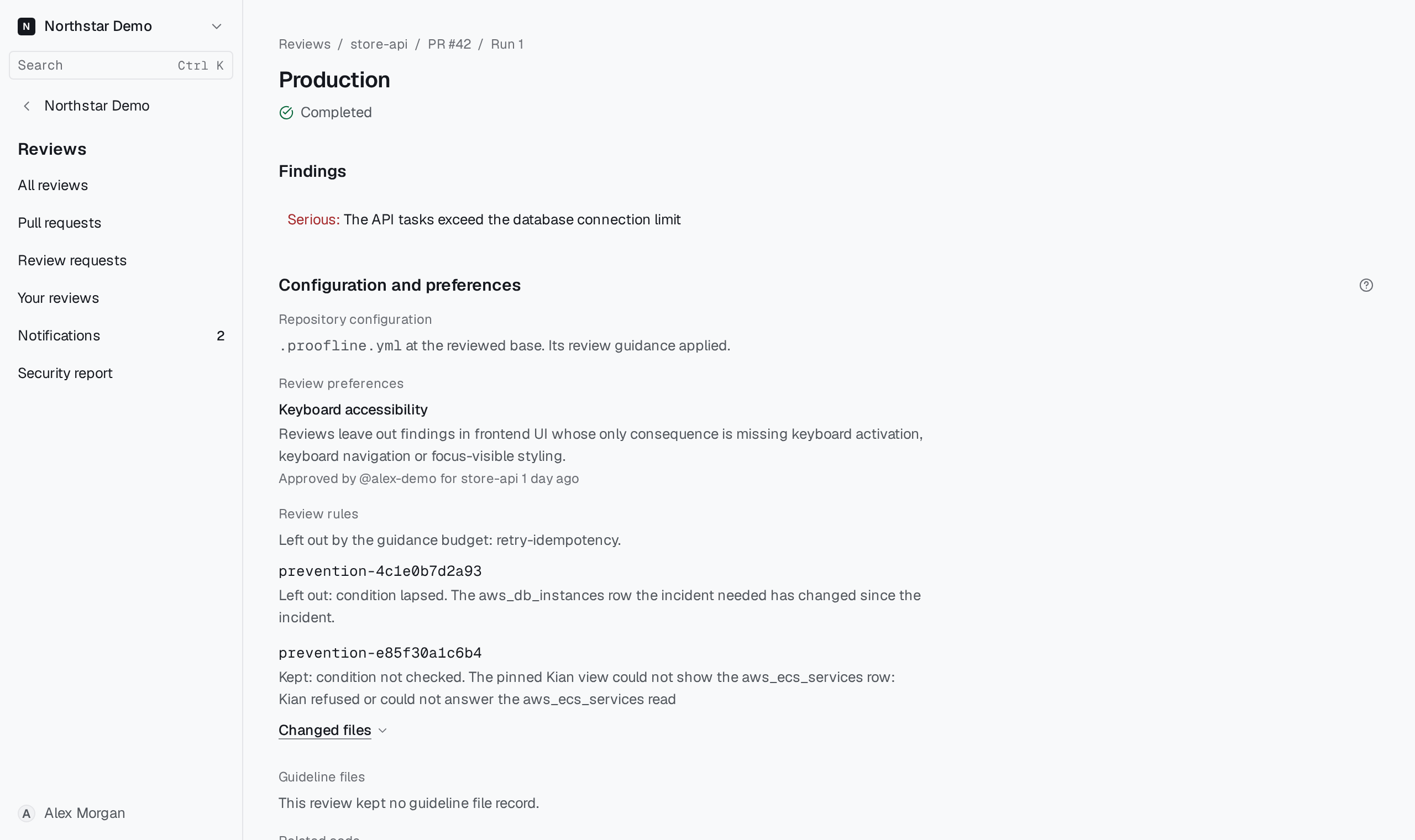
Read the recorded condition#
Open the review run and select its environment assessment. Under Configuration and preferences, find Review rules. Screen readers identify the condition list as Prevention rule conditions when the assessment has a lapsed or unchecked condition to report.
- Left out: condition lapsed. The environment evidence available to the assessment showed that the condition no longer held. Read the reason under the rule's name.
- Kept: condition not checked. The rule stayed in scope because the assessment could not establish whether the condition held. Administrators see this message and its reason. Other readers see Kept. for the same outcome.
Rules whose conditions held appear in the recorded usage for matching files. Open Changed files, find the exact path and check Applied to see which rules the assessment carried for it. The guidance budget can still leave a rule out of an individual file's review.