
Use OpenAI for reviews and choose its reasoning effort
Choose OpenAI as a review model in the Models dialog, then set Reasoning effort to trade review cost and speed for depth.
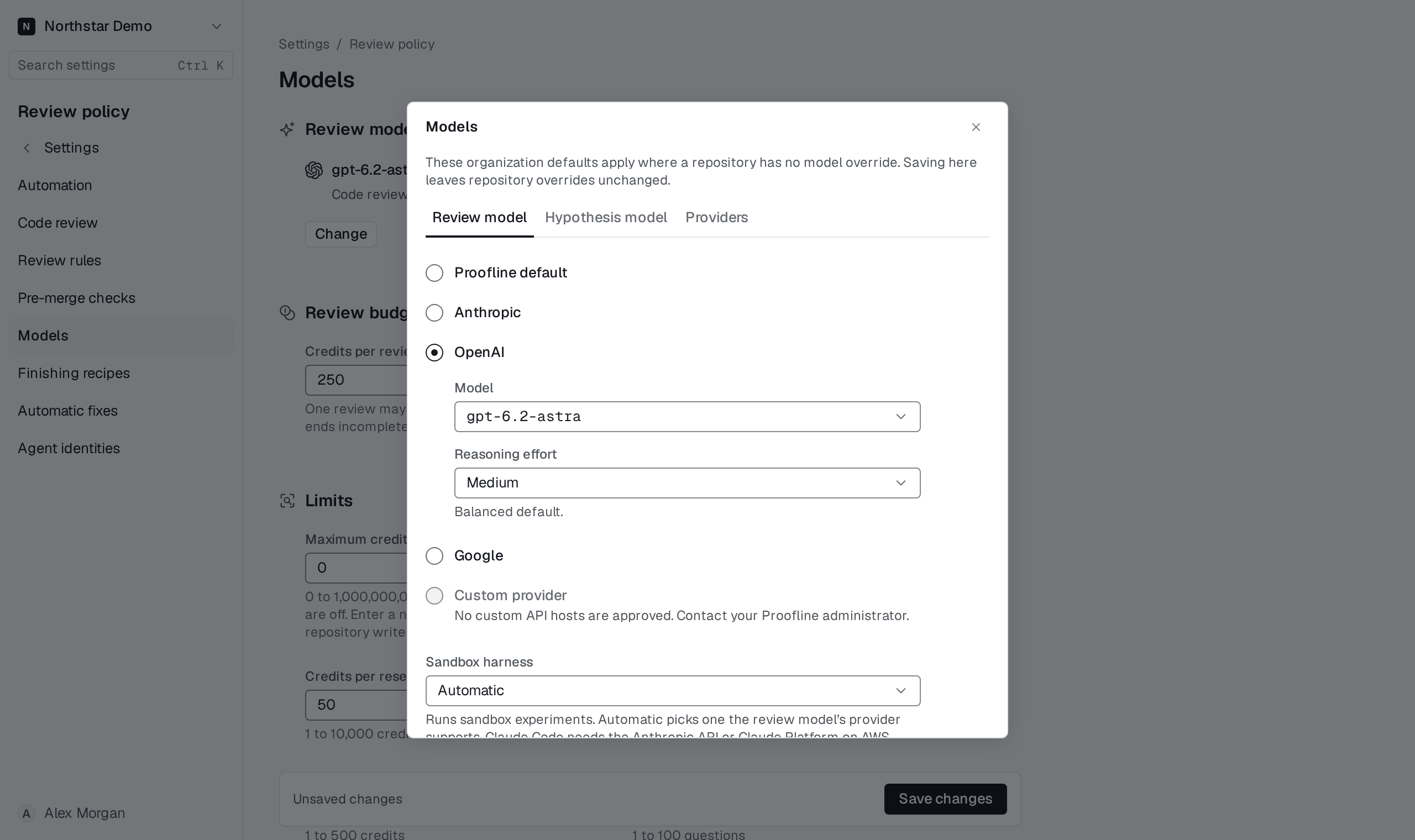
Choose OpenAI and a model#
- Open Settings → Review policy → Models.
- Under Review model, select Change. You need the Manage models permission to see it.
- On the Review model tab, choose OpenAI.
- Choose a model from Model.
- Choose a Reasoning effort.
- Select Done, then Save changes.
The review model needs no key for OpenAI. Once it is chosen, the line under Review model reads "Code reviews use OpenAI through Microsoft Foundry."
The Hypothesis model and Deployment reviews tabs also offer OpenAI, with their own Reasoning effort. On those tabs, if the dialog says "Add this provider’s key in the Providers tab before reviews can use it.", add the key on Providers before saving.
Choose a reasoning effort#
Reasoning effort appears only while OpenAI is selected. The line beneath it describes the choice:
- Low: "Faster, lower-cost reviews."
- Medium: "Balanced default."
- High: "More reasoning for difficult changes."
- Extra high: "Maximum practical depth."
- Maximum: "Highest supported OpenAI effort."
Choosing OpenAI for the review or hypothesis model starts at Medium. The deployment review models start at High. Higher effort spends more credits on each review, which still stops at its Credits per review limit.
Cancel returns the dialog's model choices to what they were. Nothing changes until Save changes.