
Confirm how a repository ships to production
A repository's delivery mechanism decides whether its deployments get deployment reviews. Choose GitHub Actions when a workflow run in the repository deploys it. Any other choice stops deployment reviews for the repository, and pull request reviews continue either way.
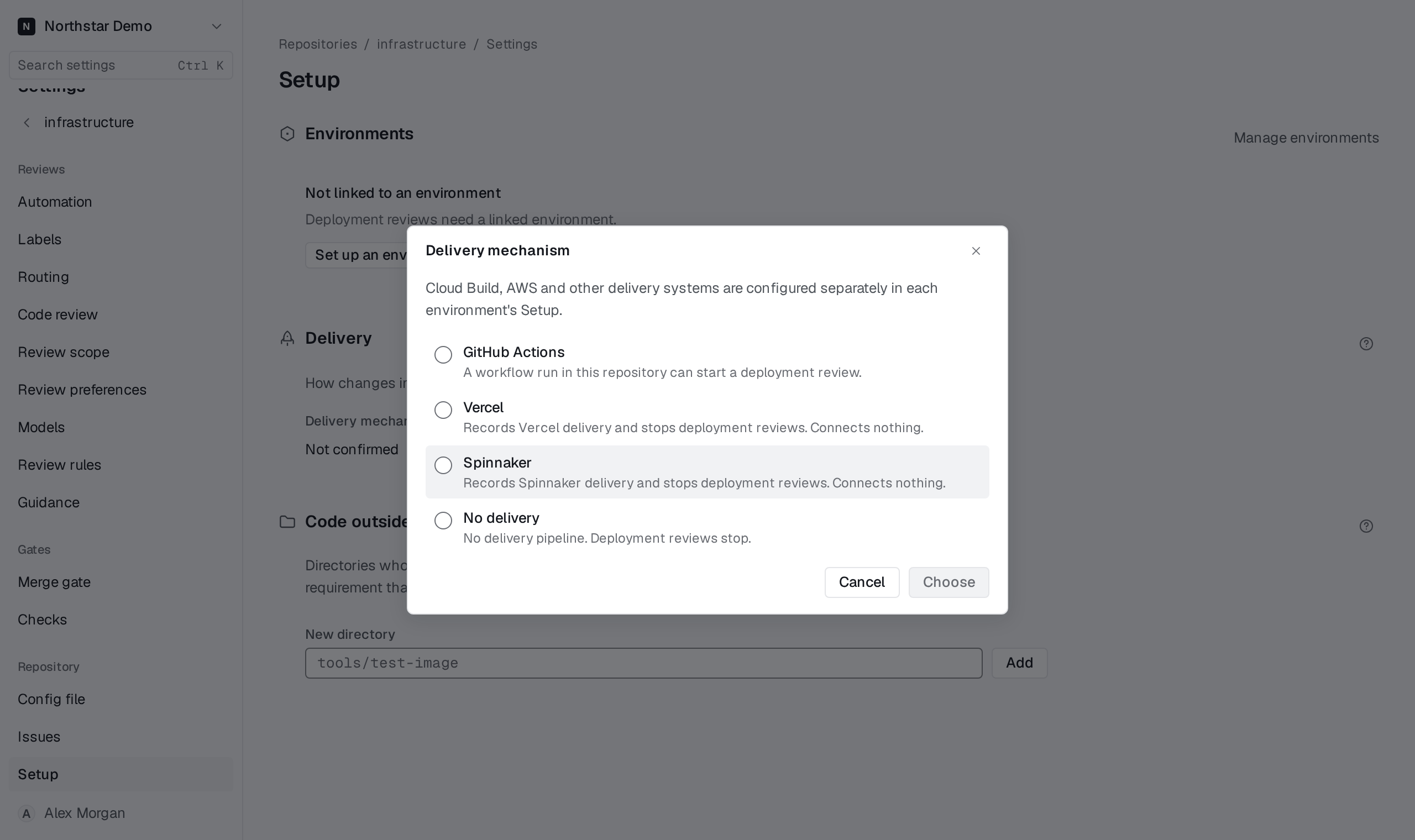
Choose the delivery mechanism#
- Open the repository and select Settings → Setup.
- Under Delivery, select Change beside Delivery mechanism.
- Choose one option, then select Choose:
- GitHub Actions: a workflow run in this repository can start a deployment review.
- Vercel or Spinnaker: records how the repository ships and stops deployment reviews. Proofline connects nothing to that service.
- No delivery: the repository has no delivery pipeline, and deployment reviews stop.
- Select Save delivery mechanism. Delivery mechanism saved. confirms it.
Choose only fills in the draft. Nothing changes until you save, and leaving the page first asks Discard your unconfirmed delivery mechanism? Keep editing returns to the page with your choice; Discard changes leaves without saving it.
GitHub Actions alone does not start deployment reviews. The repository still needs a linked environment whose deployment reviews are on; Link repositories and environments sets that up. Cloud Build, AWS and other delivery systems are configured in each environment's Setup → Delivery.
Not confirmed#
Not confirmed means nobody has chosen a mechanism for this repository yet, even when Proofline detected one. The repository's Readiness panel then shows Delivery as Unconfirmed, and Read a repository's Readiness panel explains its other states.
When you cannot change it#
Change stays disabled without permission to manage repository settings. While the repository is archived on GitHub or its GitHub access is lost, the section says Repository settings are read-only and names what to restore first.
If saving reports that running reviews or another change are holding the repository, nothing was saved. Save again in a minute.