
Read a repository's Readiness panel
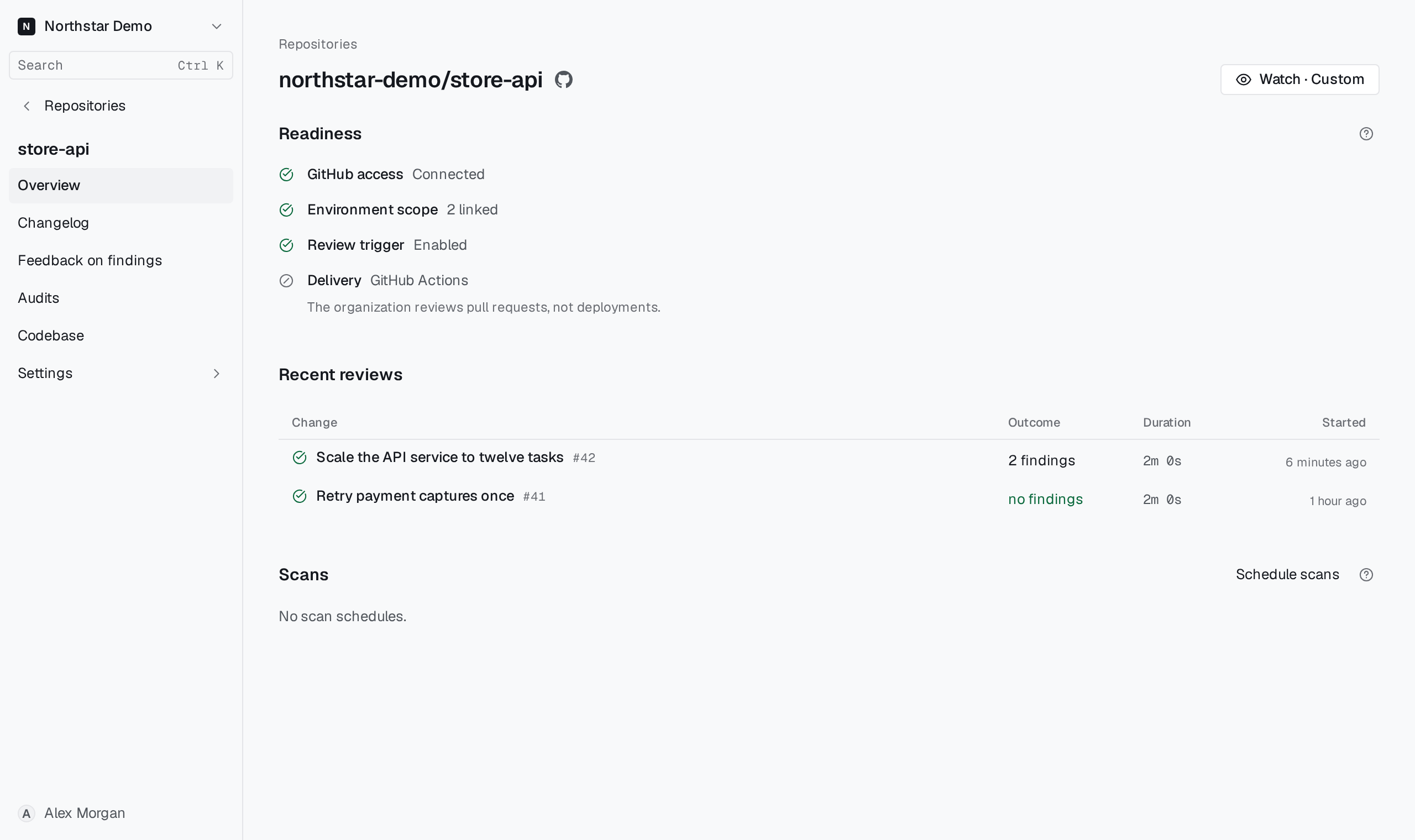
Open a repository's Overview to see whether Proofline reviews its pull requests and deployments. Readiness names what stops a review, and the button under it opens the setup that comes next.
Outside collaborators see only the GitHub access row. While the repository's GitHub access is lost, the other rows are hidden; Connect a repository explains how to restore it.
Review trigger#
- Enabled: new pull requests are reviewed.
- Disabled: reviewing is turned off for this repository, and new reviews are paused.
- Deployments only: the organization reviews deployments, not pull requests.
- Code review off: code review is off for this repository, or the repository follows the organization's setting and that setting is off. Select Code review settings to turn it on.
- Not reviewed: the repository is archived on GitHub. Its saved review setting applies again only if it is unarchived.
- Unavailable: the review settings could not be loaded. Reload the page.
Delivery#
- Unconfirmed: Proofline does not know how changes reach production. Select Confirm delivery and choose the delivery mechanism.
- GitHub Actions: the line under it names the environments whose deployment reviews are on. When it says deployment reviews are off for an environment, open that environment's setup from the link. When it says no linked environment takes this repository's deployments, or that the organization reviews pull requests, not deployments, deployments are not reviewed.
- Pull requests only: no environment is linked, so only pull requests are reviewed. Deployment reviews need a linked environment.
- No delivery: environments are linked, but none takes deliveries from this repository. Proofline reviews pull requests only.
- Vercel, Spinnaker or another method: Proofline reviews this repository's pull requests only.
- Blocked: the repository is archived on GitHub and delivers no new changes.
The next setup step#
People who can change repository settings see one button under the panel while something is missing. Repair followed by an environment's name opens that environment's setup when it needs repair. Set up an environment creates an environment for this repository when none is linked; people who cannot create environments see Open setup instead. Confirm delivery opens the repository's Setup when an environment is linked but delivery is unconfirmed.
Recent reviews#
Recent reviews, below the panel, lists the latest reviews, and All reviews opens the rest in Reviews. A review with no pull request title is named after what it reviewed, such as Pushed commits, Merge queue group or Deployment review.
- No reviews yet: Proofline has not reviewed anything in this repository. Reviews appear after an eligible pull request or deployment event. When recent pull requests were skipped, the message says how many and why, for example because reviewing is turned off for this repository or their authors have no seat. View pull requests lists the skipped pull requests.
- Reviews hidden: GitHub did not confirm that your account can read this repository, so its reviews are withheld from you. Check your access to the repository on GitHub.