
Add Terraform state evidence to a delivery target
Use Advanced evidence on a repository's delivery target to declare its Terraform source and state.
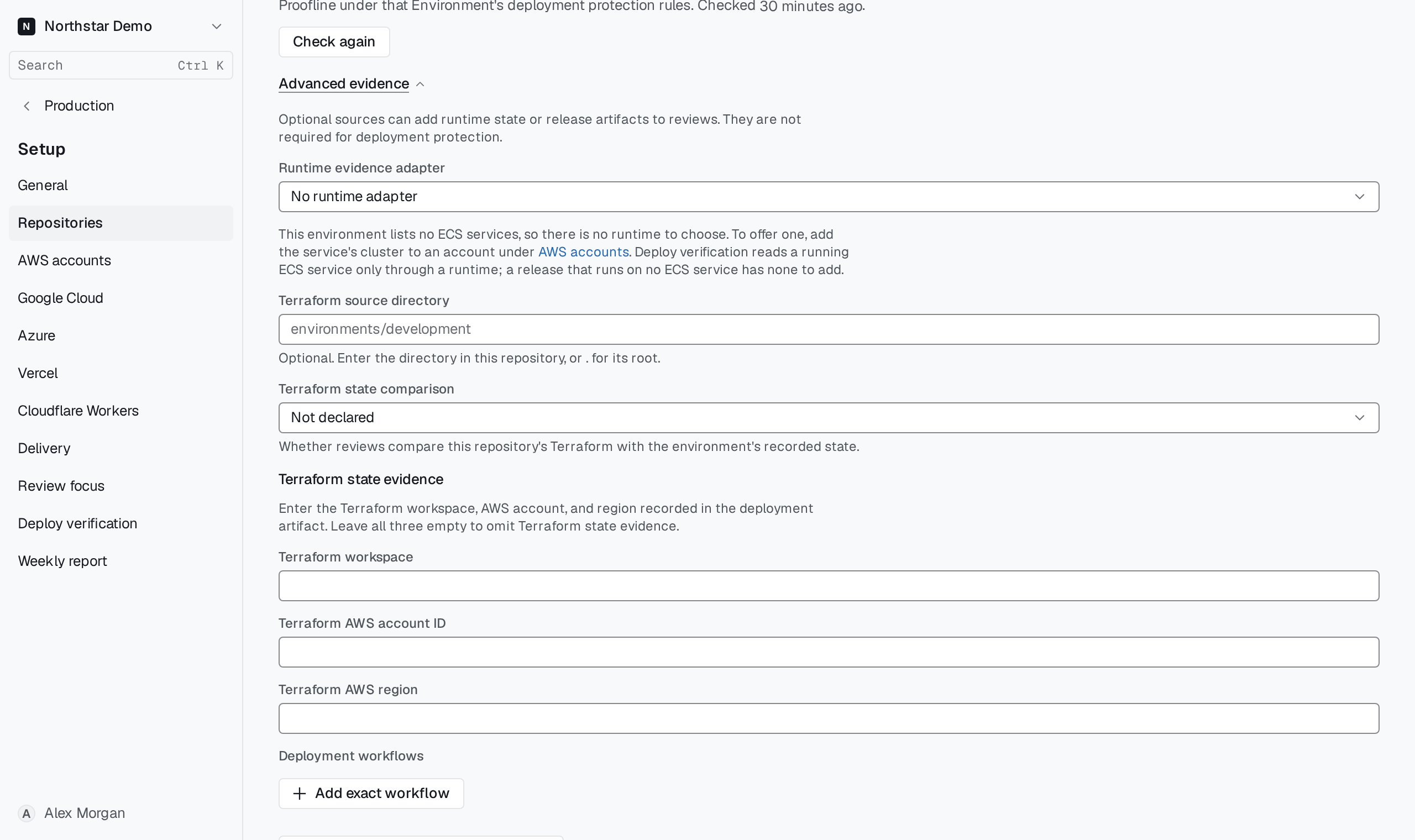
Set the source directory and state coordinates#
You need organization administrator access to save these settings.
- Open the environment's Setup → Repositories page.
- Select the repository linked to deliver to the environment.
- Under Deployment protection, open Advanced evidence for the target you deploy to.
- In Terraform source directory, enter the directory relative to the repository, or
.if the Terraform files are at its root. Leave the field blank if there's no source directory to declare. - Under Terraform state comparison, select Compare with the S3 state object to declare that comparison. Not declared leaves the comparison unspecified. Select Not required if the target does not require it.
- Under Terraform state evidence, enter the Terraform workspace, Terraform AWS account ID and Terraform AWS region recorded in the deployment artifact. Enter them together or clear all three to omit those coordinates.
- Select Save on the repository page.
If No S3 state object is configured for this environment, so this comparison has no state to read. appears, check the environment's evidence configuration. The comparison needs a configured S3 state object in addition to the artifact's workspace, account and region.