
Read a QA setup's Configuration view
Open a saved setup in Agentic QA and select Configuration to see how its runs start, what they can do, and where confirmed findings go.
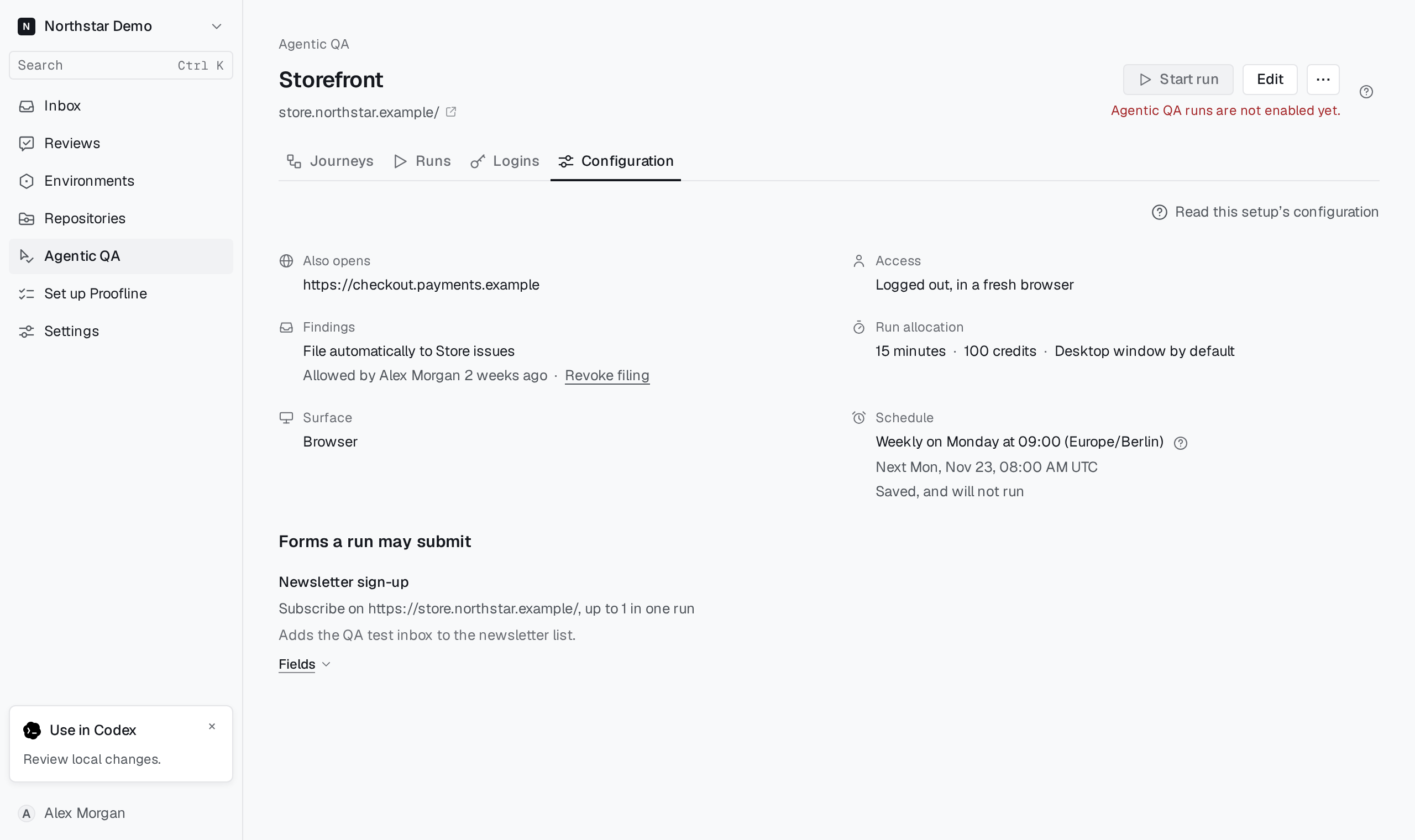
Access, forms, and run limits#
- Access reads Logged out, in a fresh browser when no journey has a test persona. If any journey has one, the row reads In a fresh browser. Open the journey to check which login it uses. Also opens lists any additional sites the setup allows.
- Forms reads None. A run submits no form. when the setup allows no submissions. Otherwise, Forms a run may submit lists the page, submission limit, and intended effect for each form. Expand Fields to inspect the values the run may enter.
- Run allocation shows the saved time and credits for a run and the default browser window. Surface shows Browser or the desktop's operating system and resolution.
Findings destination#
Under Findings, check the destination and filing mode.
- Kept in Agentic QA means the setup has no filing destination. On an active setup you can edit, Choose a destination opens the editor when an enabled GitHub Issues destination is available. If none is available, Connect a destination appears for people who can open the destination settings.
- When a destination is selected, the row shows the filing mode, File automatically or Hold a draft, and the destination name when it can be read. If it says No longer enabled. Edit the setup to choose another destination., open Edit and select an enabled destination. If the repository still needs filing permission, authorize filing.
Schedule and video#
- Schedule shows Off when no schedule is saved. A saved schedule shows the cadence, local time and time zone. A paused schedule includes paused. On an active setup, an enabled schedule shows its next occurrence after Next when one is available. If you see Saved, and will not run, open its tooltip for the reason. On an archived setup, a saved schedule says Stopped because the setup is archived and shows its former cadence.
- Video shows On with the saved bounds when recording is enabled and available. Requested means the setup asks for video but recording is unavailable. The row gives the reason. Off means recording is available and disabled. The row is absent when recording is both disabled and unavailable.