
Read a repository's merge gate history
Merge gate history shows the decision Proofline recorded for each pull request head, under the policy captured when that head's review was triggered. A later policy change or turning the gate off does not rewrite it, and a merge that went ahead before the gate allowed it is recorded beside the decision.
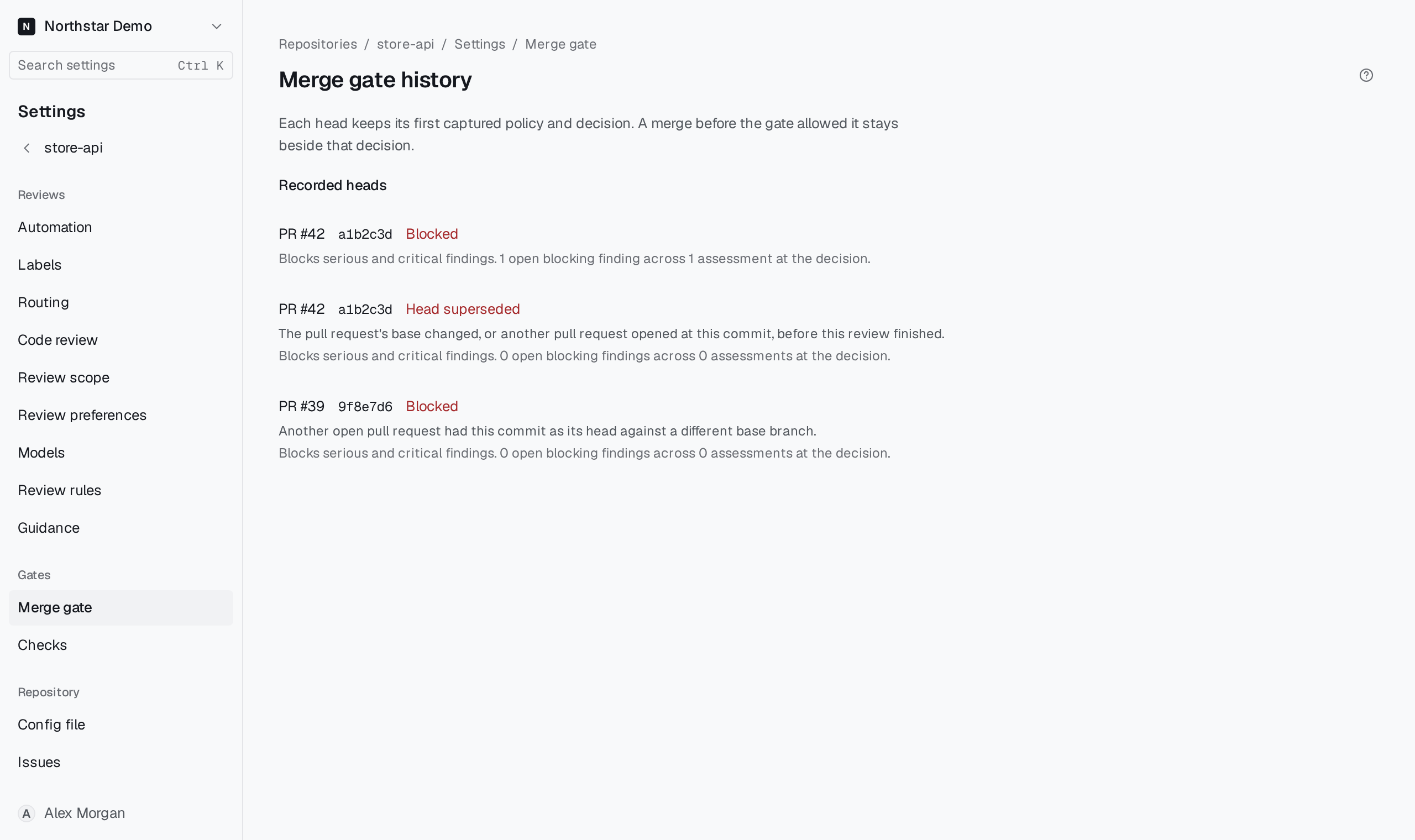
Open the history#
On the repository's Merge gate page, select View history. Recorded heads lists the newest heads first. Older heads opens the next page, and Latest heads returns to the first.
No gate is recorded on this page means no pull request head has captured the gate's policy yet. A new head captures it when Proofline receives its review trigger.
Read a head#
Each head shows its pull request, its short commit SHA and the decision:
- Policy satisfied: the head met the captured policy.
- Blocked: the head did not meet it. The line below gives the reason, such as an open supported finding at the blocking severity, incomplete production evidence or an assessment that did not complete.
- Blocked when the pull request merged: GitHub merged the pull request while the gate still blocked it.
- Head superseded: a newer commit replaced this head before it was decided.
- Waiting for review or Evaluating: the decision is not recorded yet.
The policy line under it says which findings the captured policy blocks: every supported finding, or only serious and critical ones. When Proofline counted them, it adds the open blocking findings and assessments at the decision.
A reason can also name what to change, such as an author with no Proofline seat or a monthly spend limit that stopped the review. Diagnose a blocked merge gate walks through each blocked decision.
A merge before the gate allowed it#
When someone merges a pull request that the gate still blocks, the head reads Blocked when the pull request merged, and a line names who merged it and the merge commit. The decision stays as recorded, so the history shows both what the gate decided and what happened on GitHub.
Shadow approval decisions#
When shadow approval records decisions, they follow under Shadow approval decisions on the same page. Set a shadow approval policy and read its decisions explains them.