
Track a Terraform change from generation to apply
Open Connections → Terraform changes and select a change by its repository name. The list shows where the proposal stands. The change's page shows the latest generation attempt, or the pull request and Terraform apply that Proofline observed for each repository.
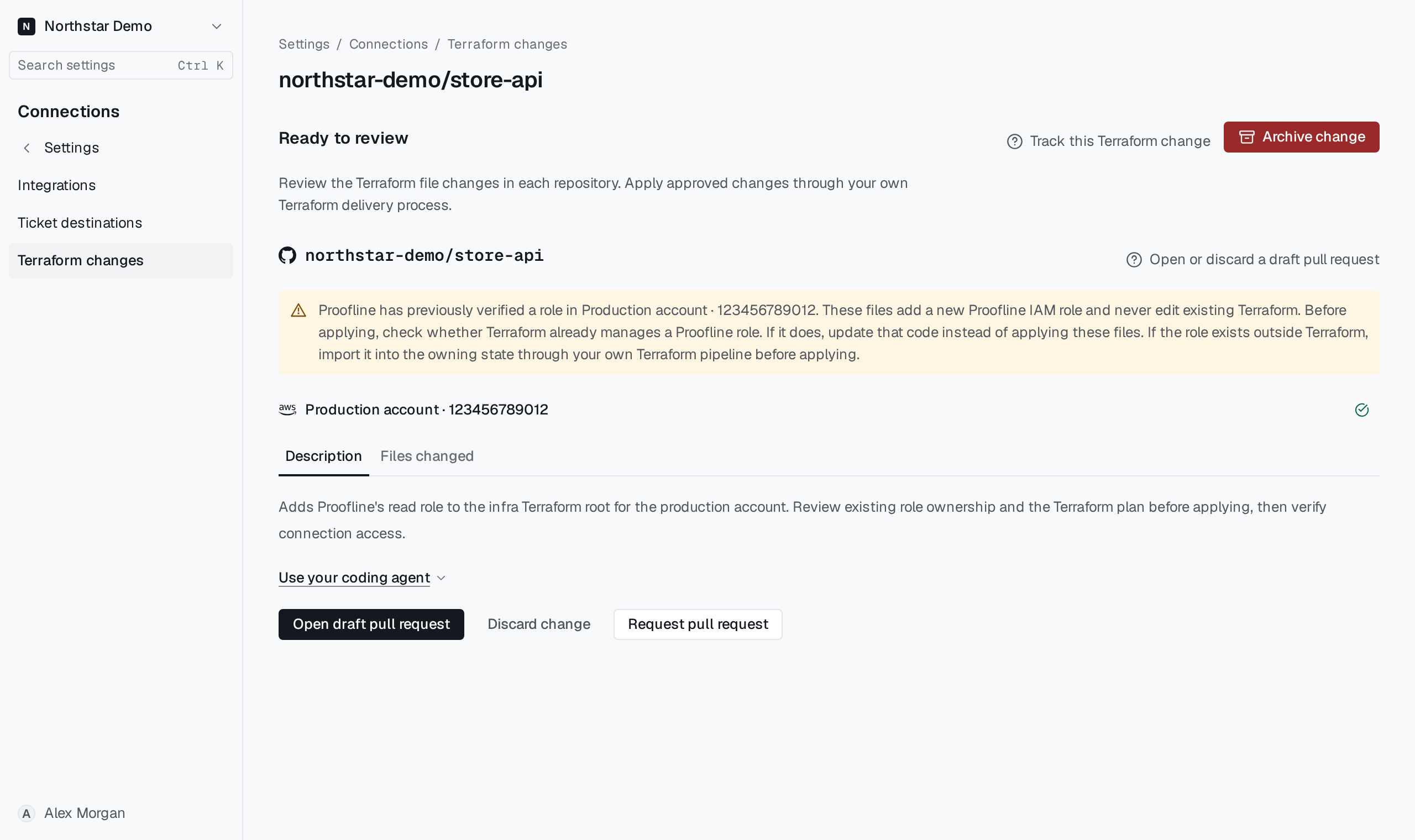
Read the change's status#
| Status | What to check |
|---|---|
| Generation pending | The change has no generated files yet. Open it to check for new progress. |
| In progress | Proofline has queued, started, or is retrying generation or pull request publication. |
| Ready to review | Proofline generated the files. Review them and decide whether to open a draft pull request for each remaining repository. |
| Pull requests opened | A pull request was opened for every repository. Check each one's row for merge and apply progress. |
| Needs attention | Generation or publication failed or was canceled. Read the reported problem. After a generation failure, resolve the problem and prepare a new change. For a publication failure, fix the cause and retry the draft. |
| Complete | Each repository's proposal was either published or discarded. When all were discarded, the status is Discarded. |
When generation has recorded a stage, the page shows its progress through Read Terraform files at the selected commit, Plan file names and pull request descriptions, and Validate the proposal and render the files. A retry starts at the first stage. The generated files replace the stage list once they are ready.
Follow each repository's pull request#
The repository name links to its pull request on GitHub. Awaiting review marks a draft, Awaiting merge an open pull request, and In merge queue one waiting in the queue. Pull request closed means it closed without a merge. Pull request changed points to a different head commit. Open GitHub to check the current state if the page says Pull request status unavailable.
Focus or hover over the icons beside the pull request for CI and Code review. CI can show Passing, Failing, Error, In progress, Awaiting checks, No checks reported, or Unavailable. Code review can show Approved, Changes requested, Review required, No review decision, or Unavailable. These readings belong to the commit Proofline published. Check the current pull request when its head has changed.
Find the apply status after merge#
Once Proofline observes the merge, the repository's row shows Awaiting Terraform apply, Terraform apply in progress, Terraform apply succeeded, Terraform apply failed, or Terraform apply status unavailable. Focus or hover over the status for its explanation. Follow View Terraform run when the row links to a run, or check the team's Terraform delivery process. Verify the connection after apply.