
Upload design images to a codebase plan
A plan can start from screens, user flows or diagrams alone. Proofline reads each image, records what kind of design it is and which screens it shows, and ties the plan's steps to those screens.
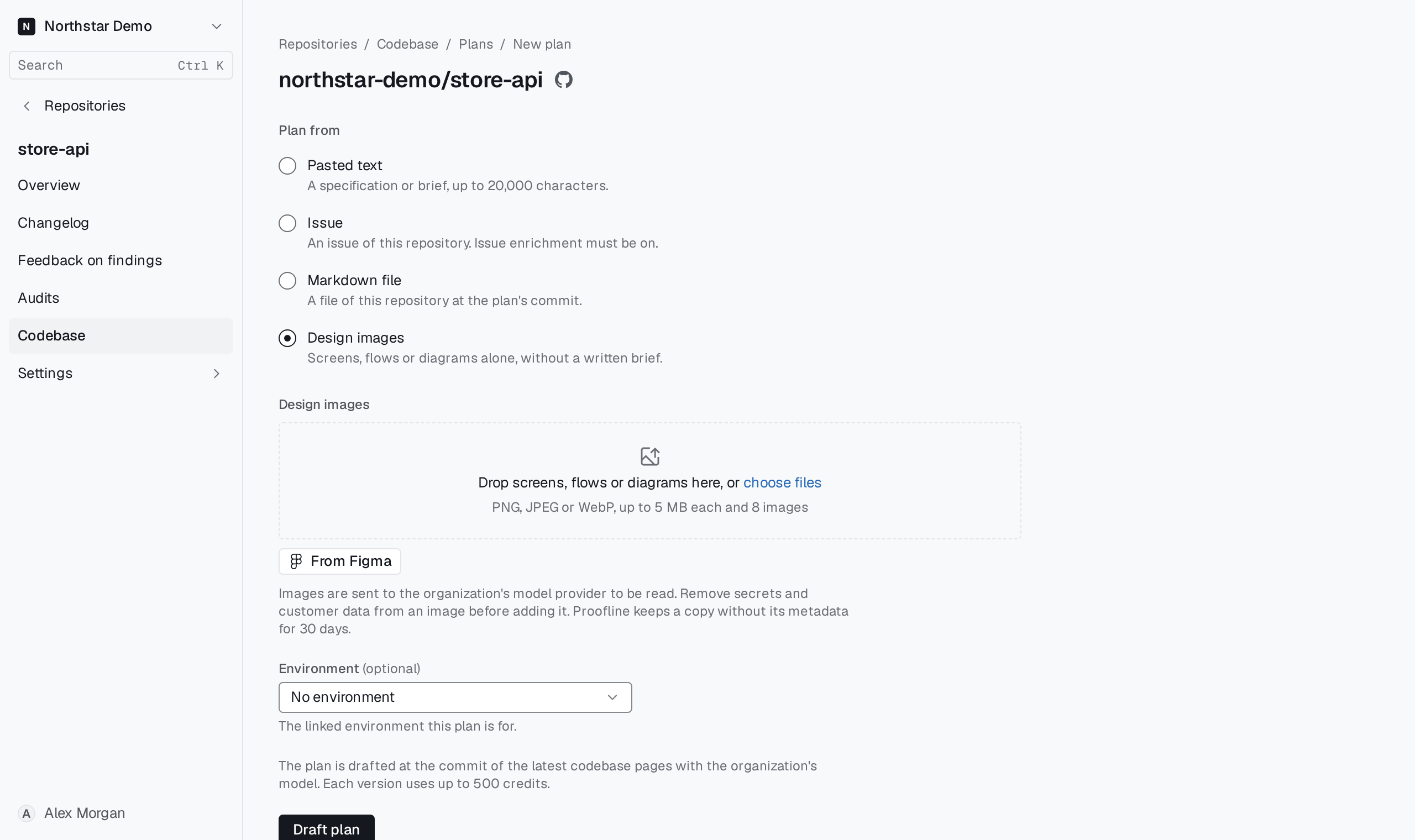
Add the images#
- Open the repository's Codebase page and select New plan under Plans.
- Under Plan from, select Design images.
- Drop the files on the Design images area, or select choose files. The area lists the formats, the size of one image and how many images a plan reads.
- Wait until every image shows its width and height, then select Draft plan.
With another Plan from choice, the same area is marked optional, and the images add to the written source. Images are sent to the organization's model provider to be read, so remove secrets and customer data from an image before you add it. Proofline keeps a copy without its metadata for 30 days.
To add frames from Figma to the same list, see Add Figma frames to a repository plan.
When an image is refused#
Each image in the list shows its state beneath its name. A refused image stays in the list with its reason and is not sent with the plan. Select Remove beside it and add a corrected file.
- Not a PNG, JPEG or WebP image. Export the design in one of those formats.
- Larger than the displayed size. Crop the image or export it at a lower resolution.
- A plan reads at most the displayed number of images. Remove an image you need less, or plan the other screens separately.
- Same image as another file. The plan reads it once, so the copy needs no action.
- Any other message is the reason the upload was refused. Remove the image, correct what the message names, and add it again.
Before you can draft, Design images asks you to Add at least one design image when it holds none, or to Wait for the images to finish uploading while one still shows Uploading….
How each image is classified#
Once the version is drafted, its Designs section lists every image by its number and kind:
- Interface mockup: a screen of the product's interface.
- User flow: a sequence of screens or steps.
- Architecture diagram: components and how they connect.
- Bug screenshot: a capture of a fault to fix.
- Not a design: an image that shows none of these.
An uploaded image classified Not a design is marked (left out of the plan), and no step follows it. If it does show a design, add a clearer export and draft the plan again. Under each image, its screens name the page of the repository that serves them, or say No page clearly serves this screen. Not readable names parts of the image Proofline could not read; export those regions more clearly and give feedback to draft another version. Read a codebase plan version explains the rest of the version.