
Find tasks the Inbox could not load
If the Inbox says some tasks may be missing, select Load again beside the note to retry the affected read.
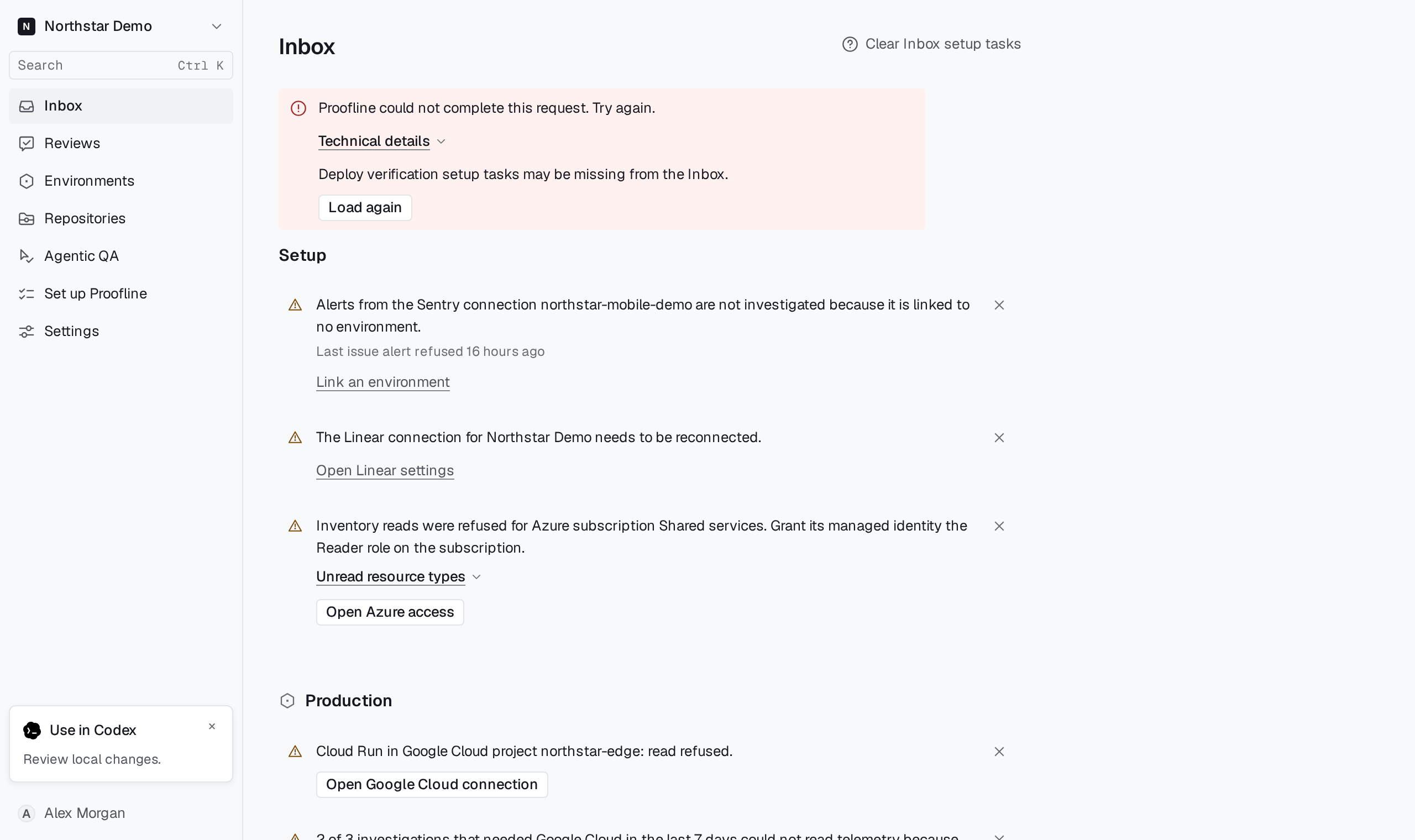
Retry the missing tasks#
The note names the affected tasks, such as Setup and connection tasks may be missing from the Inbox. or Deploy verification setup tasks may be missing from the Inbox. Other task groups can still appear. Read the error on the note if the retry fails.
Rows you dismissed may show in the Inbox. means Proofline couldn't read your dismissals. Use Load again before dismissing those rows again. If you see an error after dismissing or restoring a row, check the row's previous view and retry that action.
If the initial installation status fails to load, use Try again beside its error. A failure to read GitHub rate-limit status has its own Retry GitHub status action. See Check reviews waiting on GitHub's rate limit.
Act on the status once the tasks load#
Needs repair means someone in your organization has a step to take. Follow the repair on the task. Waiting on Proofline means Proofline or its operator has the next step. Read the reason and wait for the status to update.
An environment shows Needs repair if an open task asks your organization to act. It shows Waiting on Proofline if only Proofline's waits remain. Dismissing a row changes your Inbox view. The environment's status still reflects the open tasks.