
Repair the problems listed at the top of an environment
Administrators can find affected connections and their repairs just below the environment title on Overview and Setup. Screen readers identify this section as Environment problems. Read the account, subscription or project named on the line and the provider detail if it appears. Follow the link on that same line to repair it.
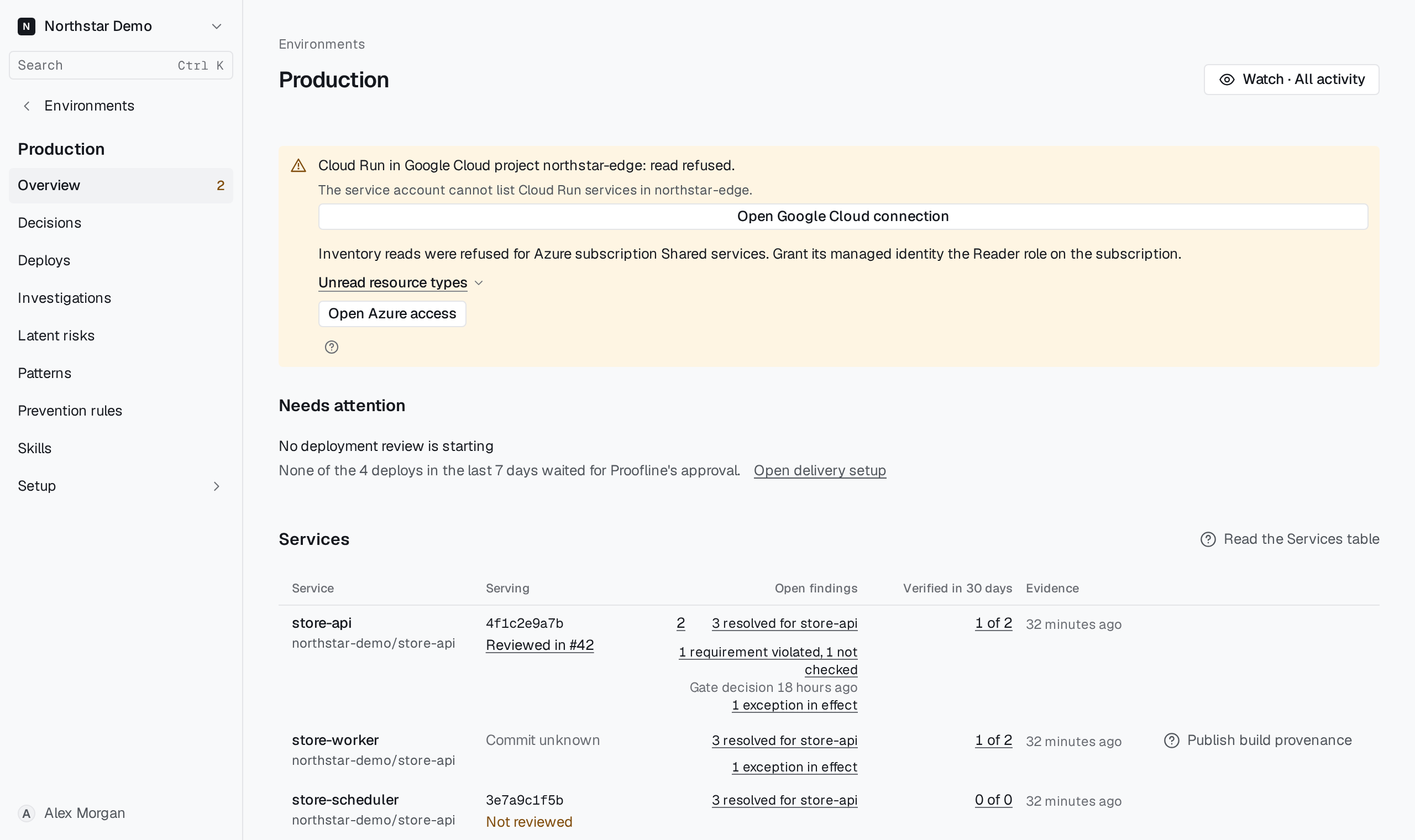
Repair a connection or grant a missing read#
| Repair link | When it appears and where it takes you |
|---|---|
| Open AWS account | The linked AWS role could not be assumed, a read was denied, or the installation needs an update. Open the account's setup and address the detail shown. |
| Open access request | An inventory read the environment uses needs an AWS grant. The request opens on the affected account and lists the missing reads. If the line groups several AWS accounts, follow the link named for each account. |
| Open Azure subscription | Verification refused access to the named subscription. Open its entry in Setup → Azure, repair access for the managed identity, then verify again. |
| Open Azure access | Azure inventory needs additional access. Open Setup → Azure and follow the grant instructions for the subscription named on the line. |
| Open Google Cloud connection | A connection's setup is unfinished or its verification read was refused. Open that connection to finish setup or check the identity's permissions. |
| Open GKE cluster | The Google Kubernetes Engine connection is unfinished, needs an update, had access denied or failed setup. Open the cluster's page and follow its setup or repair instructions. |
| Open Google Cloud access | Inventory for a project Proofline collects has a gap that requires a grant. Open the environment's Google Cloud connection list and follow the read-access instructions for the named project. |
The inventory lines identify reads the connection needs. For AWS, the list leaves out reads the environment does not use or that the account's read choices omit. A shared connection can appear in several environments. Repair it on the connection page, then check the affected environment again after verification or the next inventory collection.
Check an unreadable list#
When the line says Proofline could not check the AWS accounts, Google Cloud connections or inventory, select Open setup and read the error there. If Proofline could not check the Azure subscription list, use Open Azure subscriptions. An unreadable list leaves the connection state unknown.
Some setup tasks come from a review, deploy check or investigation. If the row on Environments sends you to the Inbox, follow the repair on the task there. See Clear Inbox setup tasks.