
Read the investigation measures in a weekly report
Use Investigations to see what ended that week, which conclusions an administrator judged and how much of the week's work the medians cover. In the environment's Setup, open Weekly report and select the week.
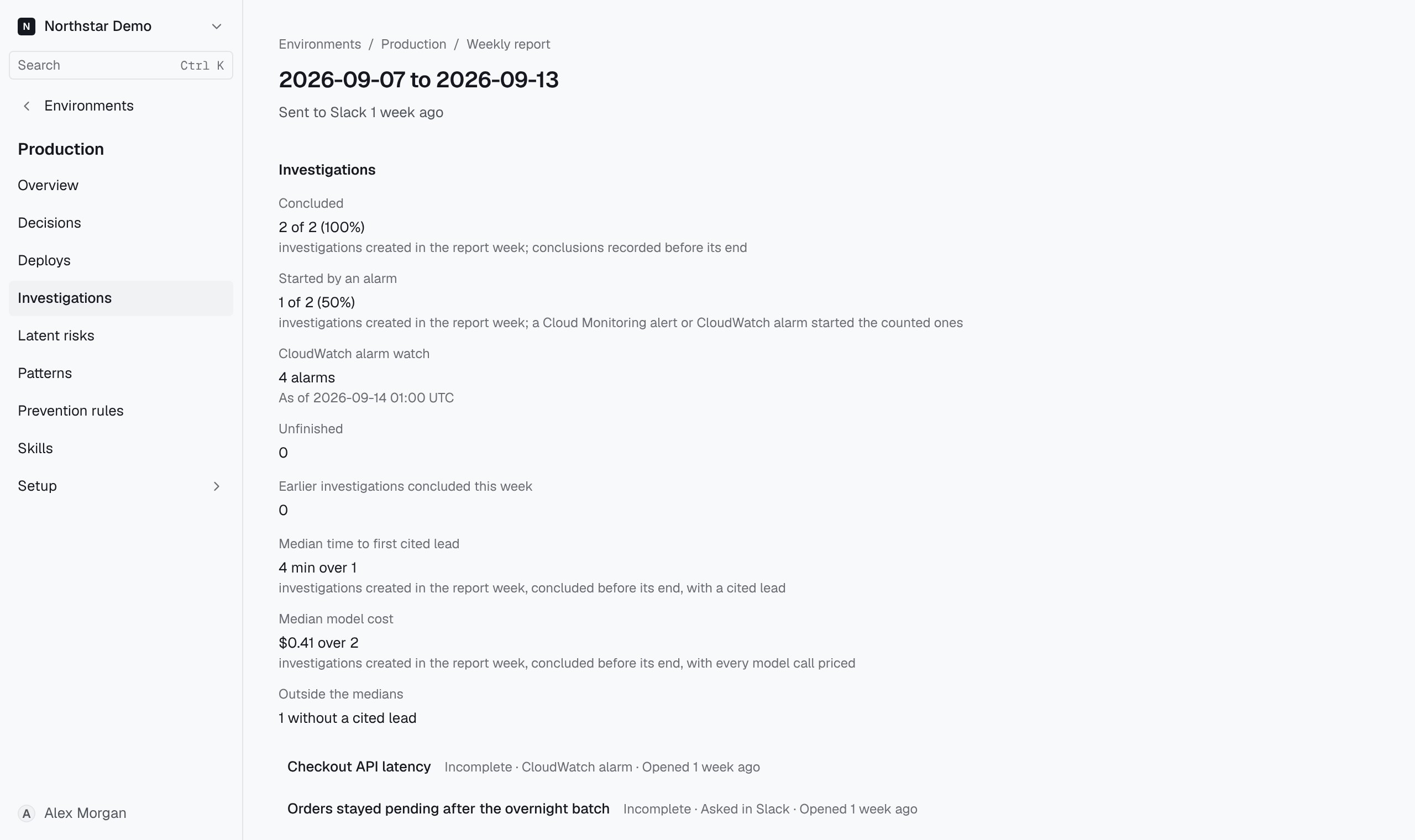
Read the investigation counts#
- Concluded counts investigations opened that week with a conclusion recorded before the week ended. An incomplete conclusion counts here.
- Unfinished counts investigations opened that week with no conclusion by the end of the week.
- Earlier investigations concluded this week counts conclusions for investigations opened before the week. They sit outside the week's intake rates.
- Started by an alarm, when shown, counts investigations opened by a monitoring alert out of all the week's openings. A person's rerun contributes only to the total.
Read the administrator judgments#
Wrong cause, as judged by an administrator counts wrong judgments out of those that marked the cause correct or wrong. Cause found, as judged by an administrator counts correct judgments out of all judgments, including those that found no conclusion. The report uses the latest judgment in force at week's end for each opening across its reruns, when that judgment was recorded during the week.
Check what went into the medians#
Median time to first cited lead measures from an investigation's opening to its first cited lead. Median model cost uses concluded investigations whose model calls were all priced. Both start with investigations opened and concluded that week and leave out fix re-checks and failed-deployment investigations. Check the population beneath each value, especially on an older report.
Outside the medians appears when an investigation lacked a measurement, had no cited lead or had an unpriced model call. A missing measurement excludes it from both medians. The other two gaps exclude it from the corresponding median.