
Read latent-risk results in a weekly report
Use Latent risks to see which scans completed, which families they examined and what later scans observed after fixes merged. In the environment's Setup, open Weekly report and select the week.
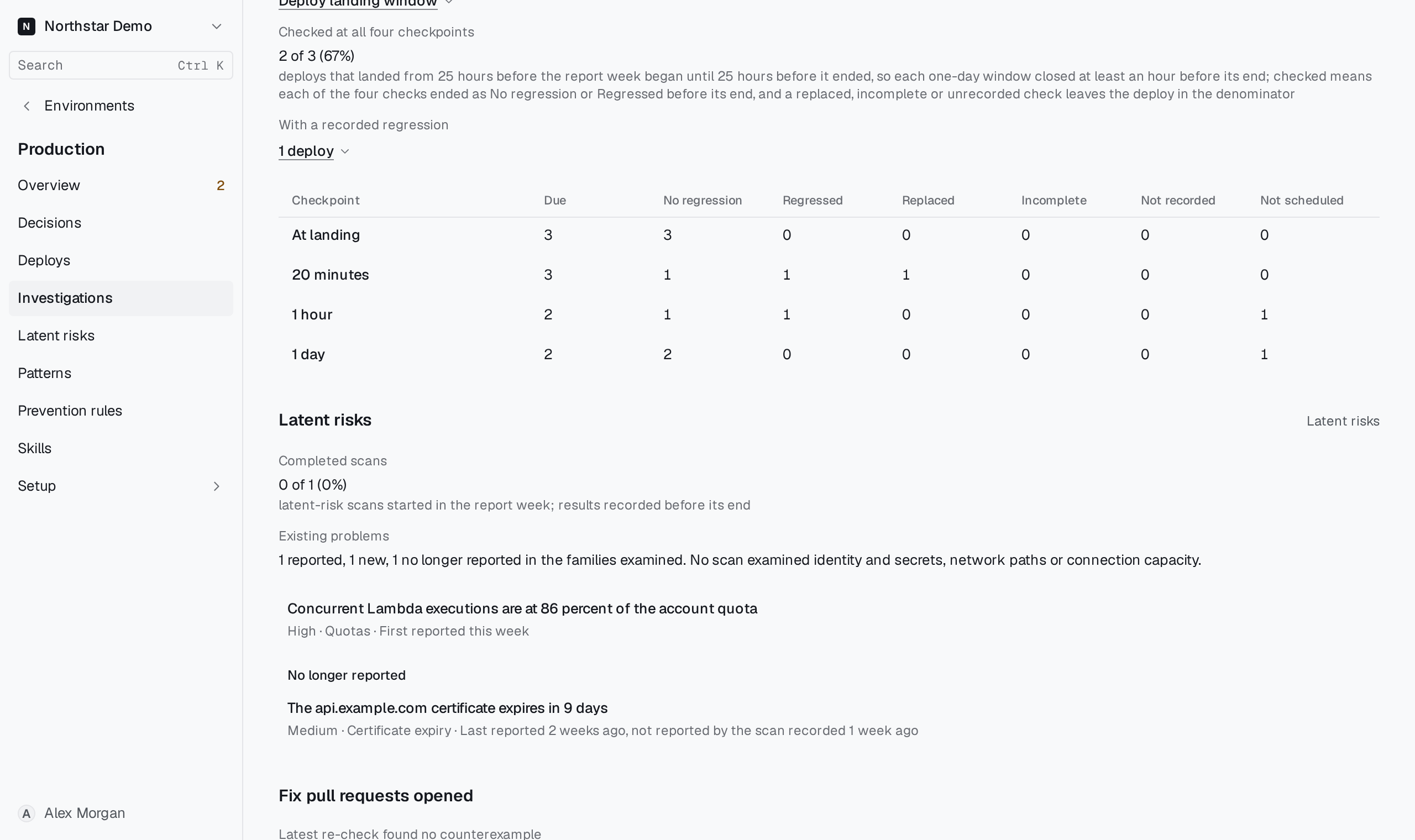
Read scan activity and coverage#
Completed scans counts scans that started that week and completed before it ended, out of all the week's starts. Results from scans started before this week appears when earlier scans returned results during the report week. Those results contribute to coverage for the report week. Below the totals, the report lists any scheduled scans that were skipped while a previous scan ran or refused by the spend limit.
Existing problems counts the problems reported, those first reported that week and, when the report tracks them, those that stopped being reported. Check which families the counts cover. Open a listed problem to inspect it while the environment still exists. No longer reported records an absence observed by a scan.
If the report shows Why scans were incomplete, read the reason, the scans and families it affected, then follow the linked setup step. This list covers gaps with a cloud setup step and is visible to organization administrators while the environment exists. Check the current setup before acting on a retained report.
Check what a scan found after a fix merged#
Fixed through a merged Proofline pull request appears when the report has merged fix-rule pull requests to account for. In Merged fix-rule pull requests, check whether a later scan stopped reporting the problem, still reported it, or had yet to observe it after the merge. A problem that stopped being reported before the merge contributes no fix to the count. If the row shows a re-check of the merged commit, read what the re-check can establish.